Input
Email address
Check the address the person entered before you create the account.
Disposable inboxes, mistyped domains and addresses with no mail server create trial accounts that never convert and bounce your onboarding emails. Soryxa checks the email while the person signs up and tells your app to allow it, hold it for review or block it, with the reason.
Try the demo without an account. Free plan: 250 checks a month. No subscription needed: 5,000 checks cost $15.
Create an accountIllustrative example · default policy
Your form asks for a work or personal address the person actually reads. No trial is created for an inbox that disappears in an hour.
Input
Check the address the person entered before you create the account.
Signals
Inspect syntax and domain checks, including MX records and SMTP status where available.
Decision
Read the decision first. Use the reason code when you need to explain it or handle a particular case.
Best for
Continue registration for an allowed address. When a rule blocks it, your form can ask for a different email.
Your rules determine what happens when a check finds an issue. A role address, for example, may be exactly what your form expects.
| Signal | What it checks | Why it matters |
|---|---|---|
| Syntax and format | RFC-compliant syntax and format rules. | Catches invalid addresses early. |
| Domain and MX | Domain existence and mail server records. | Shows whether the domain has mail servers. |
| Disposable provider | Disposable or temporary email providers. | The default policy blocks disposable addresses. Your team can change this rule. |
| Free email provider | Gmail, Yahoo, Outlook, and other free providers. | Identify consumer versus business emails. |
| Role account | Generic role addresses such as info, admin, or sales. | Distinguishes a shared address from an individual one. |
| Catch-all detection | Domains where every address appears possible. | The domain can accept mail without confirming a particular mailbox. |
| Email quality score | A score from 0 to 100. Higher scores indicate better email quality. | The default policy sends scores below 70 to review unless an earlier rule decides the outcome. |
| Reason codes | Explainable reasons for the decision. | Use the reason to explain why a signup was held. |
| Policy rules | Customizable thresholds for allow, review, and block. | Adapt to your risk appetite. |
Mail-server and mailbox signals are used where available. A result cannot guarantee that mail will arrive.
Send one address from your backend. To label the form or flow, include policy_key. Soryxa returns that label and applies your team’s rules.
POST https://soryxa.elvesora.com/api/v1/validate
Authorization: Bearer SORYXA_API_KEY
Content-Type: application/json

{
  "email": "example@example.com",
  "policy_key": "signup"
}{
"success": true,
"data": {
"policy_key": "signup",
"decision": "review",
"reason_code": "SCORE_BELOW_THRESHOLD",
"decision_message": "Email score below minimum threshold",
"decision_reasons": ["Score (0) below minimum (70)"],
"score": 0
}
}Illustrative response excerpt for an account using the same review threshold. View the full response fields.
| Decision | Default trigger | When to use |
|---|---|---|
| Allow | 70-100 after rules | Continue when no explicit rule or invalid signal blocks the address. |
| Review | Below 70 by default | Route low-score, risky, or unavailable results to review. |
| Block | No score band by default | Block explicit list, disposable, bogus, invalid, or configured rule matches. |
| BLOCK_DISPOSABLE | Policy code | Disposable email blocked by team rules. |
You set the policy in Soryxa. Your app decides what to do with the response. If a submitted address needs review, you can pause registration and give the person a chance to correct it.
Soryxa checks the address a person submits. It cannot establish who owns the mailbox.
Implementation
Compare fixed signup examples, look up a reason code or open the endpoint reference when you’re ready to check the first address from your own app.
Review benchmark scope, evidence limits, and validation-risk definitions.
Inspect request fields, response fields, rollout data, and correlation headers.
Map allow, block, and review decisions to explainable reason codes.
Compare monthly plans and one-time packs of 5,000 checks for $15 USD plus applicable tax.
Preview the decision model before wiring validation into a live signup flow.
Cover a one-time import or signup spike with prepaid checks.
Use a review decision to set an uncertain address aside before a mailing.
Review Soryxa’s retention settings and data request options before connecting your form.
Soryxa uses DigitalOcean hosting. DigitalOcean’s SOC reports cover the hosting infrastructure. Soryxa controls access to your team’s records and protects requests with HTTPS.
We process only what is required to deliver a decision.
HTTPS protects data in transit. At-rest controls depend on the configured infrastructure and storage services.
Authenticated, team-scoped access with scoped API tokens and explicit token revocation controls.
Keep data only as needed and export or delete when required.
Privacy request support helps teams export or delete personal data when required.
Create a Soryxa account to set a policy, then connect your form to the validation API.
Check an address when a person signs up or before you use it for a mailing.
See how to handle a review decision or compare the cost of checking a list.
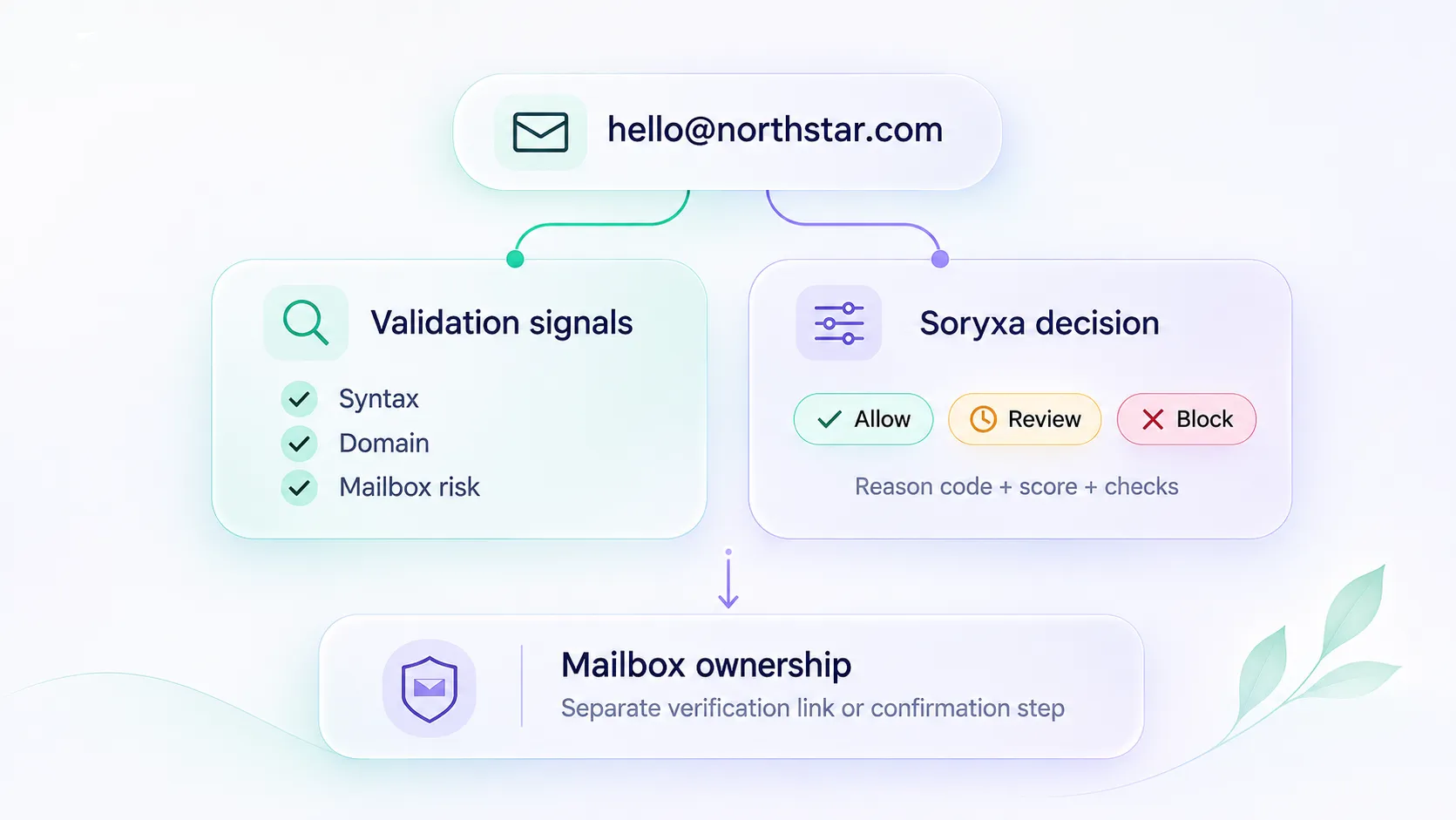
Email validation API and email verification API are used as synonyms in search. Soryxa returns allow, block, or review with reason codes. Do not treat a syntax check or an SMTP probe as the same job.
 S
Sora
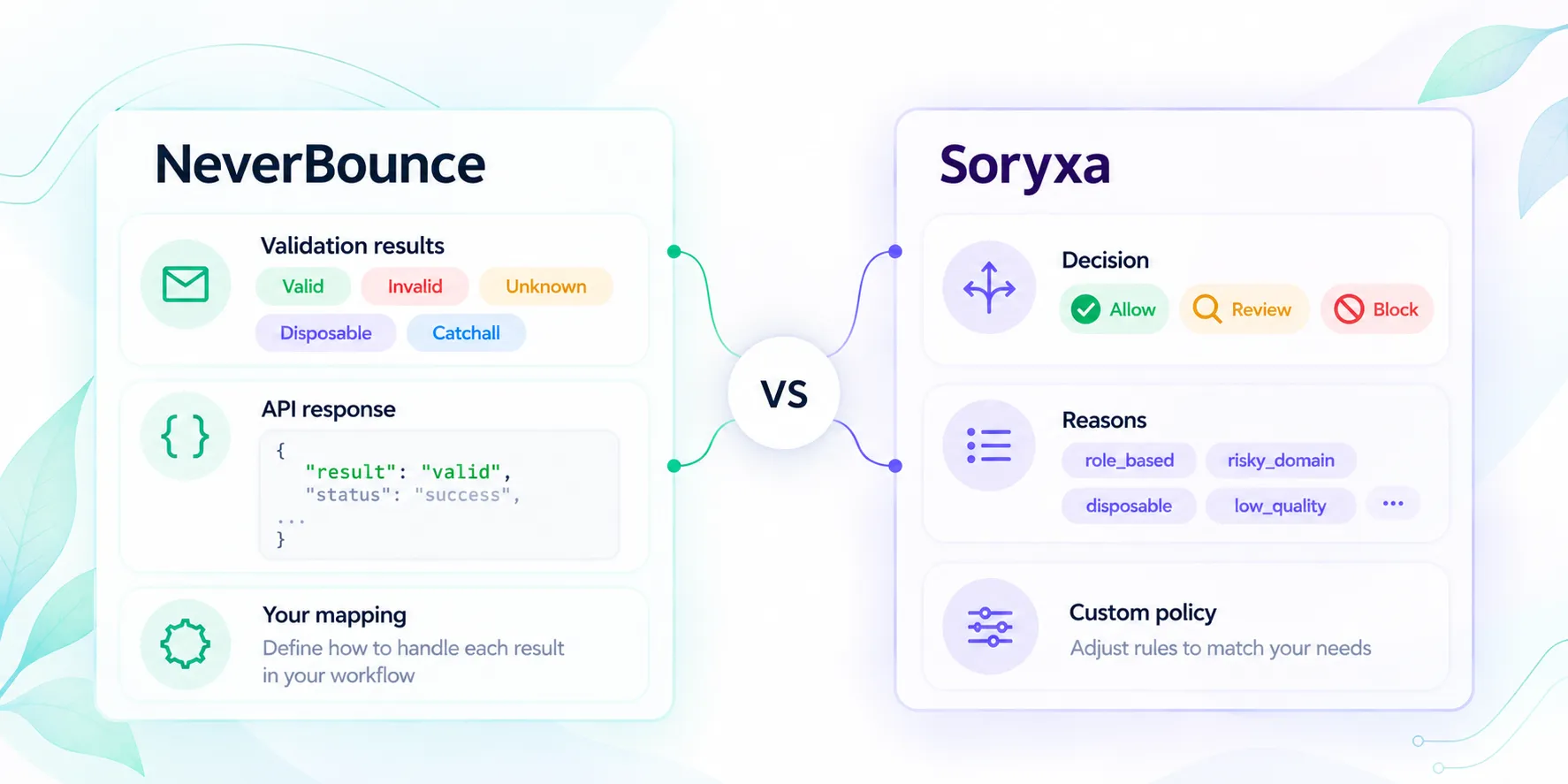
Compare Soryxa and NeverBounce using current first-party API documentation, including real-time and bulk workflows, result categories, policy ownership, review handling, rollout controls, and verified pricing status.
S
Sora
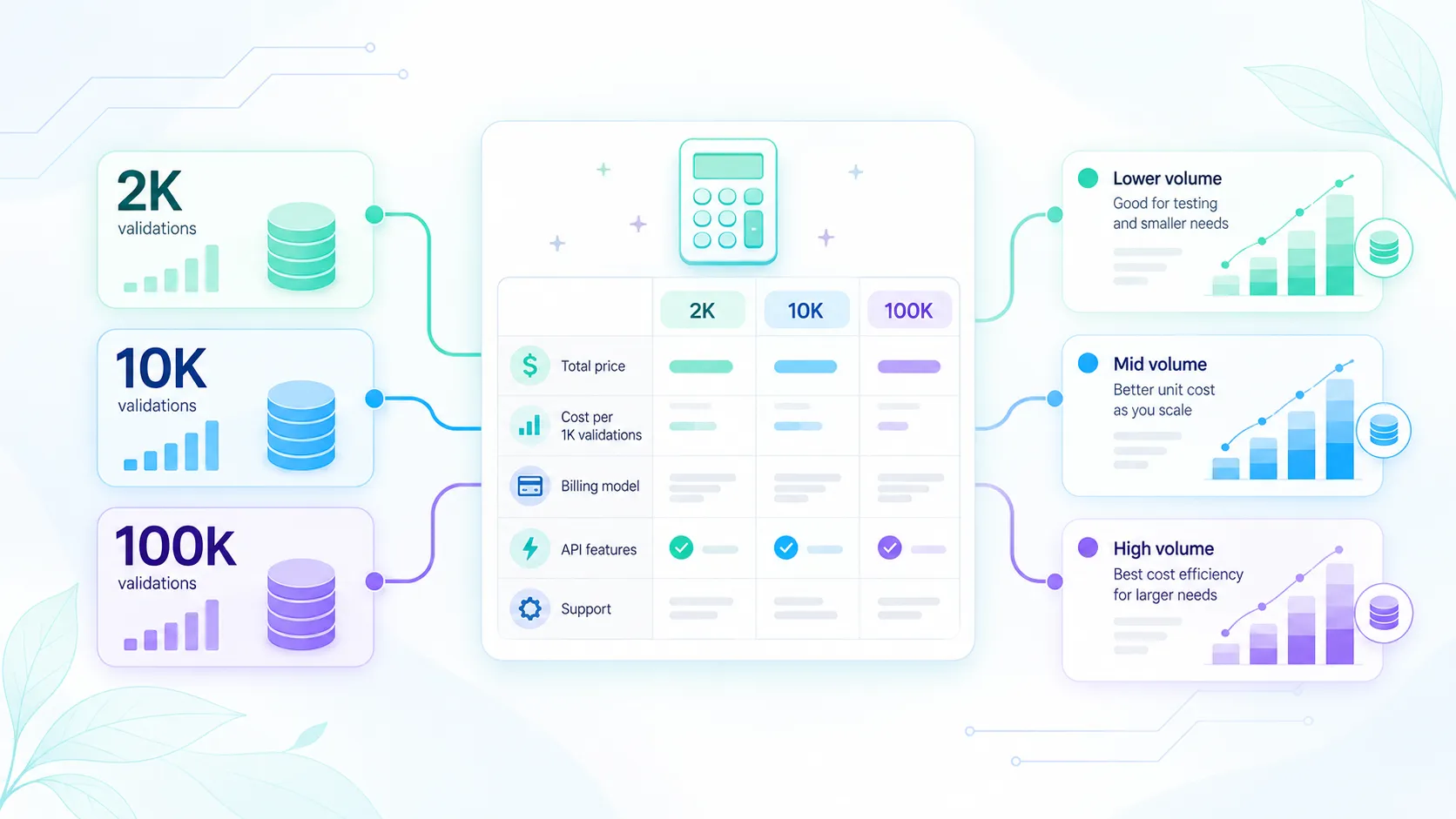
Compare USD prices for 2,000, 10,000 and 100,000 email checks. See what a one-time list costs, which monthly offers cover it and when unused credits expire.
S
Sora