Company Name to Domain Is Not a WHOIS Lookup
Company Domain Lookup resolves a company name to a likely official website. It is not WHOIS, domain availability, or email finding. Use this boundary when you wire CRM and enrichment.

Teams searching for a company website from a company name often land on WHOIS tools, domain registrars, or email-finding products.
Those tools answer different questions.
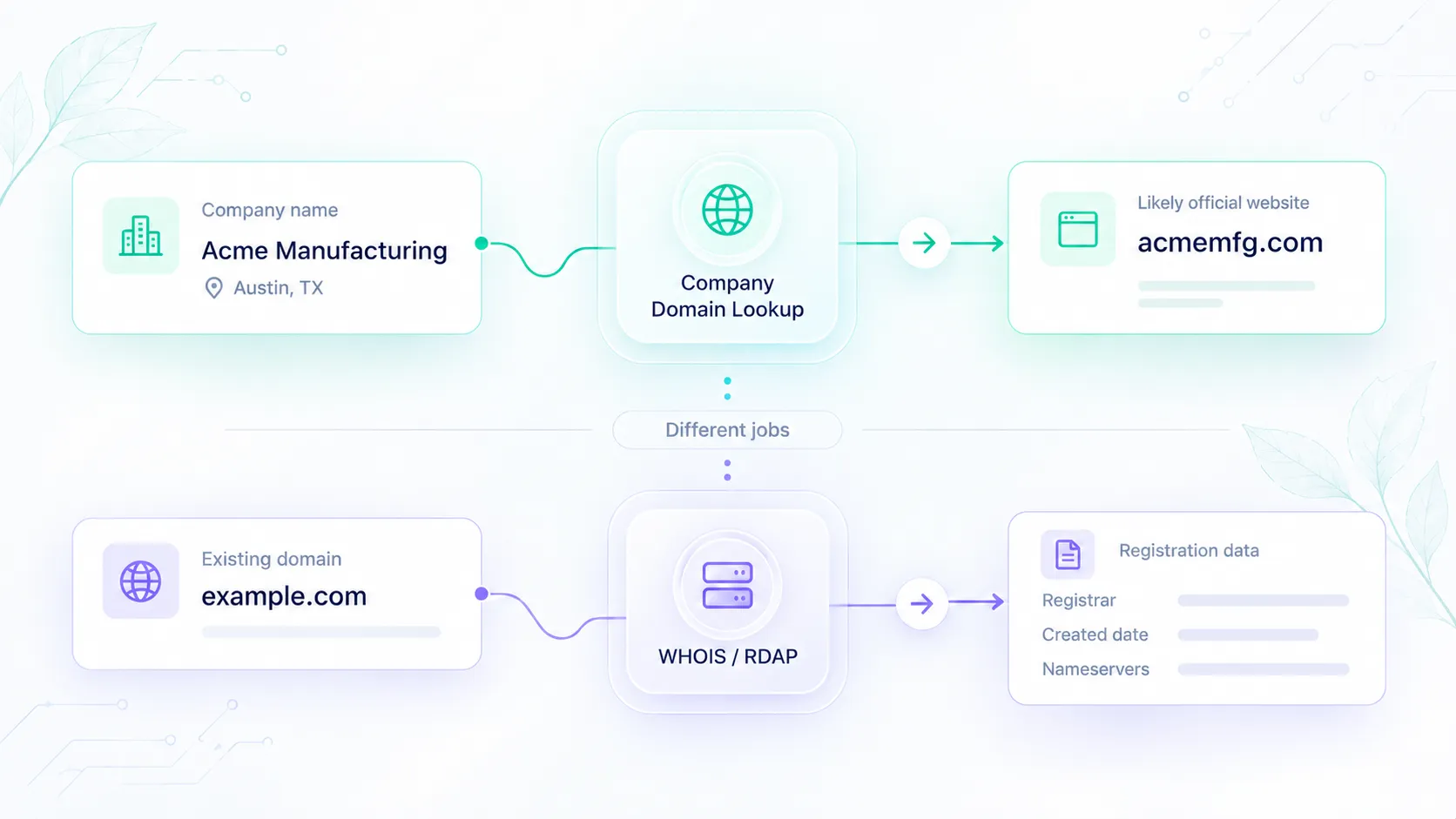
Company Domain Lookup resolves a company name to a likely official website domain. It does not look up the domain's registrant, check whether a name is available to buy, or invent a mailbox.
That distinction matters in CRM cleanup, signup matching, and enrichment workflows, where using the wrong domain identifier can lead to incorrect company records.
Four different jobs, four different questions
| Job | Typical input | Typical output | Elvesora product |
|---|---|---|---|
| Find the company's website | Company name, optional country or industry context | Likely official domain, or a completed no-match | Company Domain Lookup |
| Inspect domain registration | An existing domain | Registrar, dates, contacts when public | Not an Elvesora product |
| Check domain availability | A proposed domain name | Available / taken | Not an Elvesora product |
| Find a person's email | Person + company | Mailbox candidates | Not an Elvesora product |
If your CRM record contains Acme Manufacturing as the company name and Austin as its location, and you need to identify its likely official website, you need company-name-to-domain matching.
If you already have acme.com and want to know who registered it, you are in WHOIS.
Keep those paths on different API calls. Mixing them produces the wrong write into CRM.
WHOIS and RDAP answer a different question
WHOIS is still a familiar term for domain registration lookup. For generic top-level domains, RDAP replaced WHOIS as the primary registration-data access protocol in January 2025.
Both concern domain registration information, not company-name-to-website matching.
Registration data may identify a registrar, relevant dates, and public registrant information. Some details may be withheld or privacy-protected.
Even when registration details are available, they do not automatically prove that a domain is the official website of the company named in a CRM record.
Company Domain Lookup starts from the company name. WHOIS/RDAP starts from an existing domain. Neither is a substitute for verifying an applicant's authority to represent a business.
What Company Domain Lookup actually returns
Send company_name and optional additional_context (country, industry, product line).
A completed lookup includes:
found— whether a domain was returneddomain— likely official website, ornullon no-matchconfidence— 1–100 when found, 0 whenfoundis falseconfidence_band—high,review,low, orno_matchreasons[]andlower_reasons[]- nullable
is_live, pluscachedso you do not treat reachability as fresh when the result was reused
The confidence score is a routing signal, not a calibrated probability that the match is correct.
Nullable company context, including industry classifications and a company LinkedIn URL, may also be returned when available.
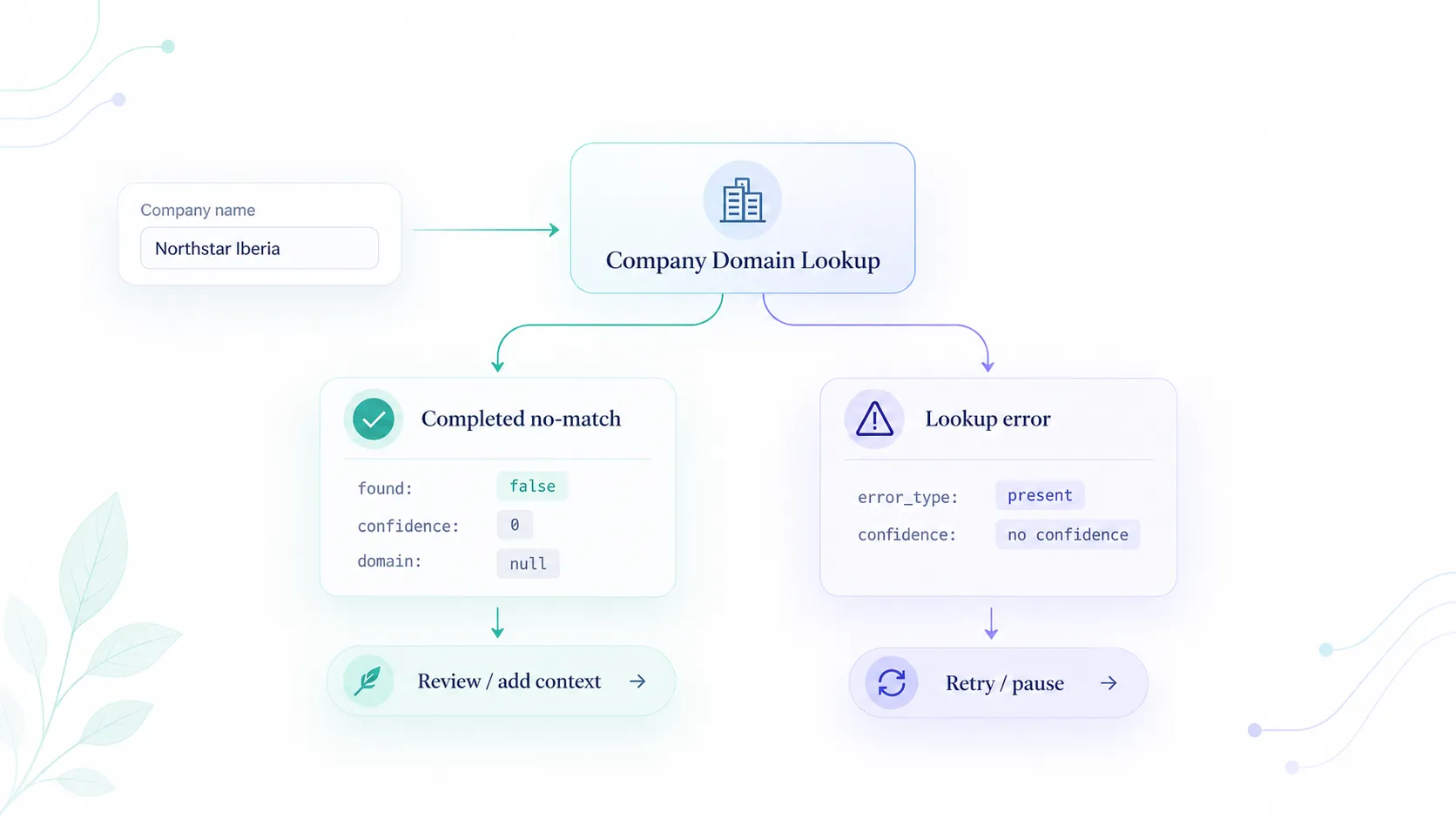
Service and upstream error envelopes set success to false; authentication and validation errors may omit it. Error responses do not include a confidence score.
Do not treat an HTTP error as "no company website." A completed no-match and a failed lookup require different handling, as explained in Company Domain Lookup: No-Match Is Not an Error. See the field contract in Domain Lookup docs.
What it does not return
Do not expect:
- registrant name, privacy-proxy contacts, or nameservers
- "this domain is available to register"
- a personal or role mailbox derived from the company name
- a guaranteed legal-entity identifier or parent-company id
Those absences are product scope, not missing features in your integration.
If you need mailbox quality, use Soryxa on the submitted email. If you need firmographics after you accept a company domain, use Elvesora Enrichment.
A write policy that keeps the jobs apart
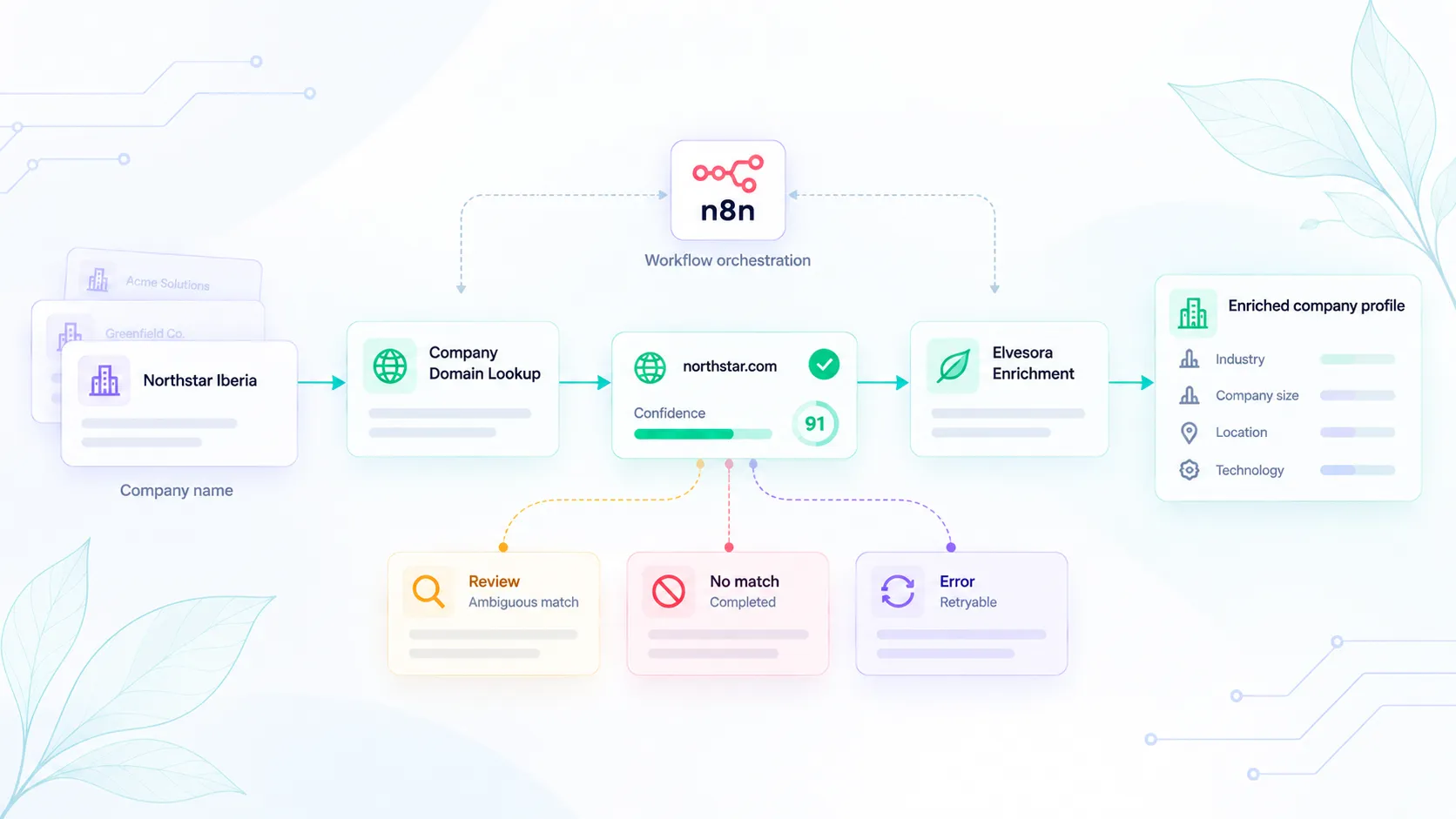
- Resolve the company name with Domain Lookup.
- If
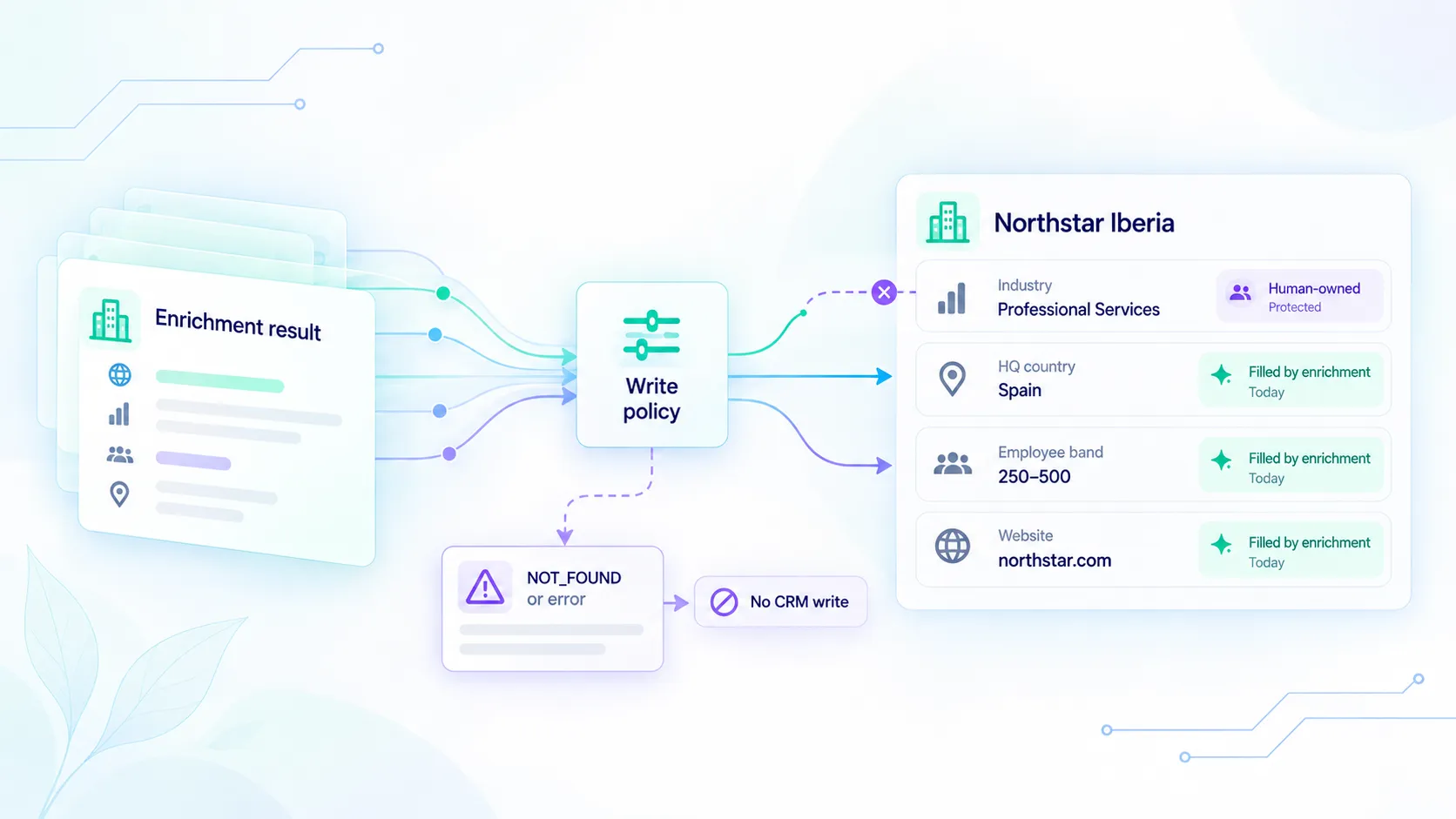
foundistrueandconfidence_bandishigh, accept the domain only when it meets your application's matching policy. Do not overwrite an existing human-verified website without reconciliation. - If the band is
revieworlow, hold for a human and keepreasons[]/lower_reasons[]on the record. - If
foundisfalseandconfidenceis0, leave the new domain candidate blank and preserve any existing CRM website value. This is a completed no-match, not an API failure. - If the lookup fails, preserve existing CRM values and follow the error's retry guidance. Do not convert the failure into a completed no-match.
- Never take the email domain from a personal mailbox (
gmail.com, and similar) and treat it as the company website. That is a different identifier.
Related workflow: Company Domain Lookup before company data enrichment.
When registration lookup or availability checks are still useful
Use WHOIS/RDAP when you already have a domain and need its available registration information. Use a registrar's availability service when you want to check whether a domain can be registered.
Neither result should automatically populate the official website field in CRM.
A domain may be registered, parked, offered for sale, or associated with a different business. Registration status does not establish company identity, and availability says nothing about whether a company already operates under another domain.
Company Domain Lookup resolves a likely company website. WHOIS/RDAP provides registration information. Registrar availability checks answer whether a domain can be registered.
Keeping those jobs separate prevents registration data or guessed identifiers from becoming accepted company identities in downstream systems.