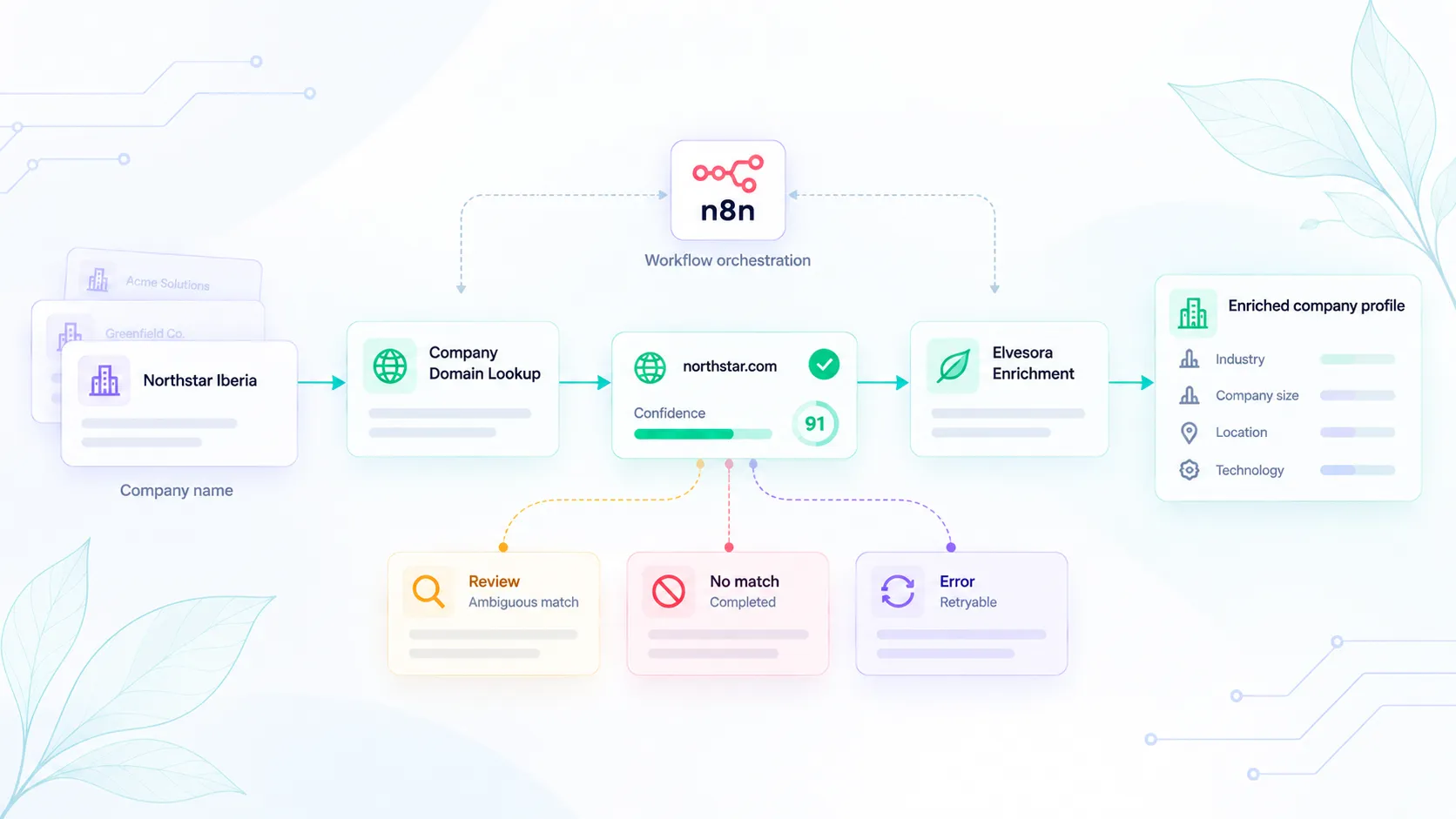
Company Domain Lookup: No-Match Is Not an Error
A completed no-match returns found false and confidence 0. Lookup errors omit confidence. Route write, skip, and retry from those states so CRM does not store outages as missing companies.

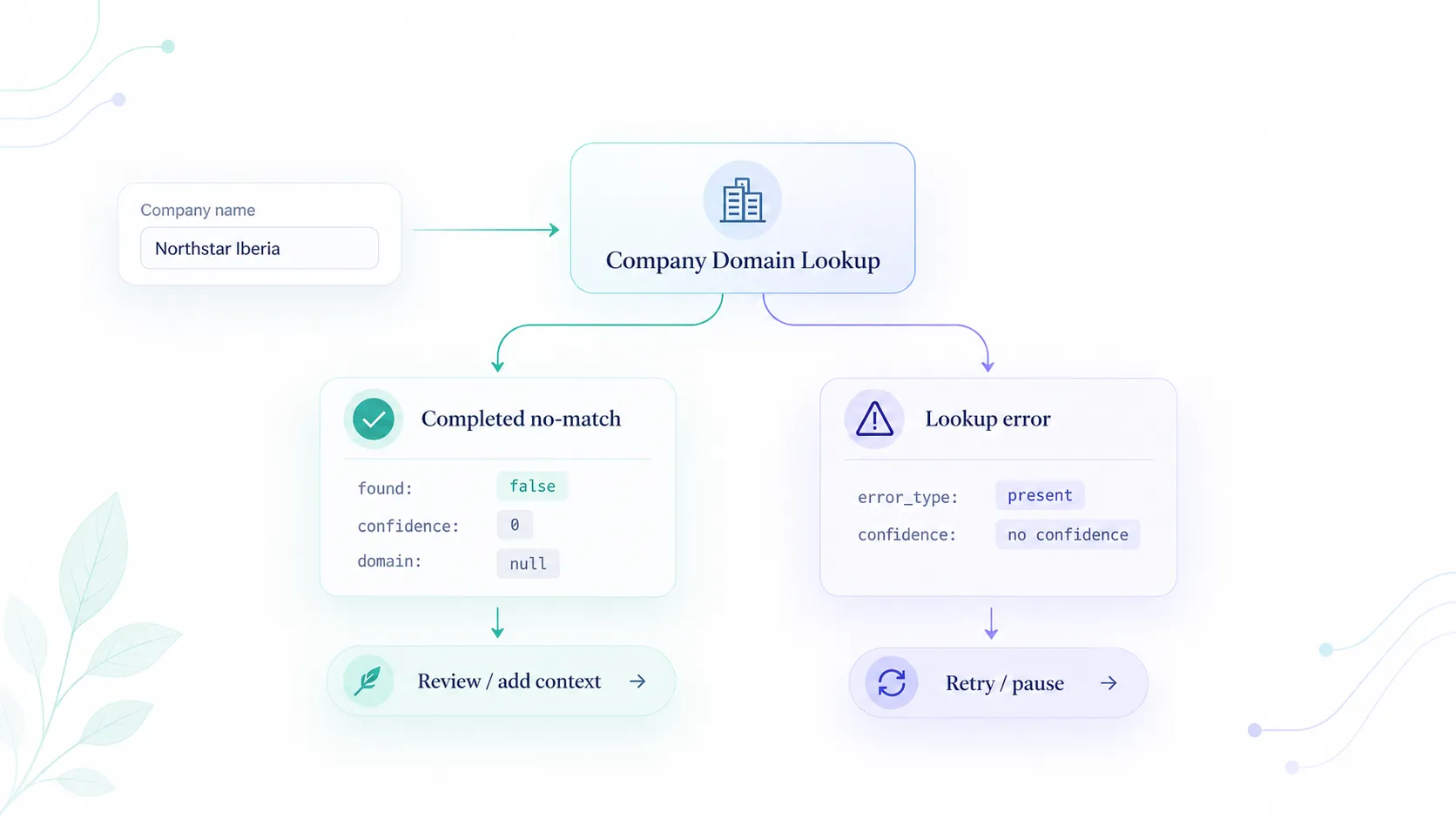
A Company Domain Lookup call can finish in two ways that look similar in logs: no likely official domain was found, or the request failed.
A completed no-match means the API finished the job and did not find a likely official website. A lookup error means the job did not complete, so you must not write "no domain" as a business fact.
Think of this article as the routing table for automation.
Completed no-match
When the lookup completes and no domain is returned:
successis truefoundis falsedomainisnullconfidenceis 0confidence_bandisno_matchreview_recommendedis true
If better context is available, retry the lookup with additional_context such as country or industry. Otherwise, send the record to review or leave the field blank.
The Domain Lookup docs define found: false with confidence: 0 as a completed no-match.
Lookup errors
Errors omit domain, found, and confidence. Typical typed failures include:
error_type |
Meaning | Retry? |
|---|---|---|
usage_limit |
Plan allowance exhausted | No. Pause until allowance is available again or adjust the account limit. |
rate_limited |
Provider throttling | Yes. Honor retry_after (1–300 seconds). |
lookup_invalid_response |
Strict upstream failure (HTTP 502) | Yes. retry_after is 60 seconds. |
Authentication and validation errors may omit success. Treat them as failed requests, not as "this company has no website."
Routing table
| Condition | Website field | Enrichment | Next action |
|---|---|---|---|
found === true, band high |
May write accepted domain |
Allowed on the accepted domain | Continue |
found === true, band review or low |
Hold | Do not enrich yet | Human review with reasons[] / lower_reasons[] |
found === false, confidence 0 |
Leave blank | Skip | Review or add context; do not mark as a system failure |
| Error envelope / no confidence | Unchanged | Skip | Retry only if retryable is true |
This is the same order as lookup before enrichment: do not enrich a missing or unaccepted domain.
Why mixing the states hurts CRM
If you map every non-2xx or every empty domain to "company not found":
- transient 502s become permanent blanks
- usage limits look like missing companies
- you can send unresolved records into enrichment unnecessarily
- reviewers cannot tell a true no-match from an outage
Store three fields on the record: accepted_domain, lookup_status (found / no_match / error), and error_type when present.
Sample completed no-match
A completed no-match has this shape:
{
  "success": true,
  "found": false,
  "domain": null,
  "confidence": 0,
  "confidence_band": "no_match",
  "review_recommended": true
}
Error responses do not include confidence. If your parser requires a score, branch on success / error_type first.
Operational checks
- Log
cachedbefore you treatis_liveas a fresh reachability check. - Do not infer parent companies from a no-match. The API does not return a parent-company id.
- For lists, keep failed rows separate from completed no-match rows. Only retryable failures belong in the automatic retry queue; re-run a no-match only when you intentionally add better context.
Implementation checklist
- Treat
found: falsewithconfidence: 0as a completed no-match. - Do not convert API errors into "no domain."
- Keep ambiguous matches out of automatic enrichment.
- Retry only retryable failures.
- Preserve
error_typeseparately from business outcomes. - Keep failed rows and completed no-match rows in different queues.
A no-match is a completed lookup outcome. An error is unfinished work. Keeping those states separate prevents temporary system failures from becoming permanent company data.