Company-Level Data Fields: Firmographics for CRM and Routing
Firmographic data describes companies: industry, size, location, domain, and business context. Learn how B2B teams use it for CRM cleanup, routing, segmentation, and enrichment.

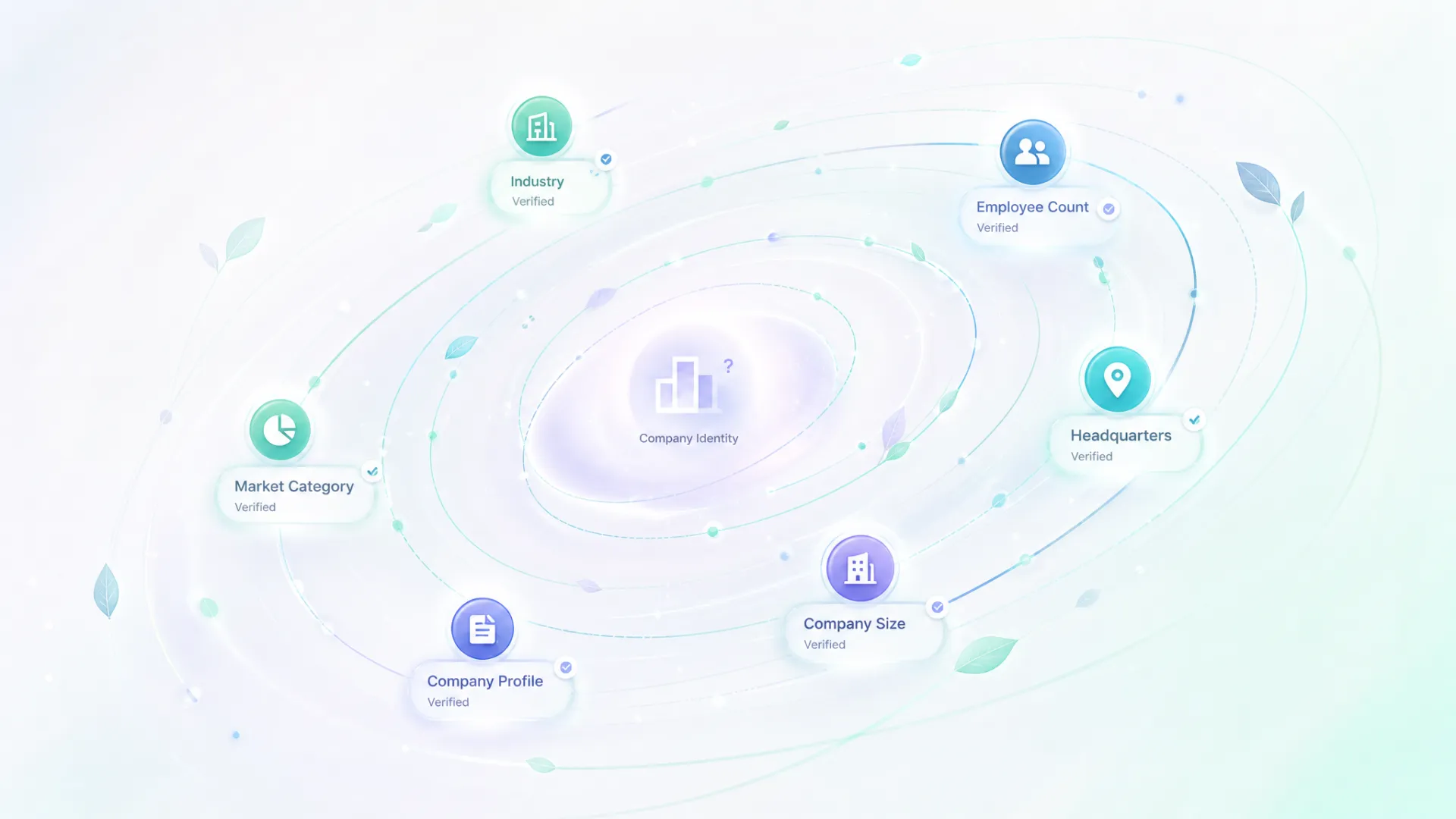
Firmographic data sounds straightforward until it gets attached to the wrong company.
A CRM record can contain industry, employee count, headquarters, and dozens of other company fields.
If the company identity is wrong, all of those fields become less useful.
That is why firmographics work best after identity has already been resolved.
Those fields are only useful after identity is settled. If the workflow enriches the wrong company, the row looks complete while becoming less trustworthy. Resolve the company domain or accepted match first, then attach the company fields.
Where firmographics fit
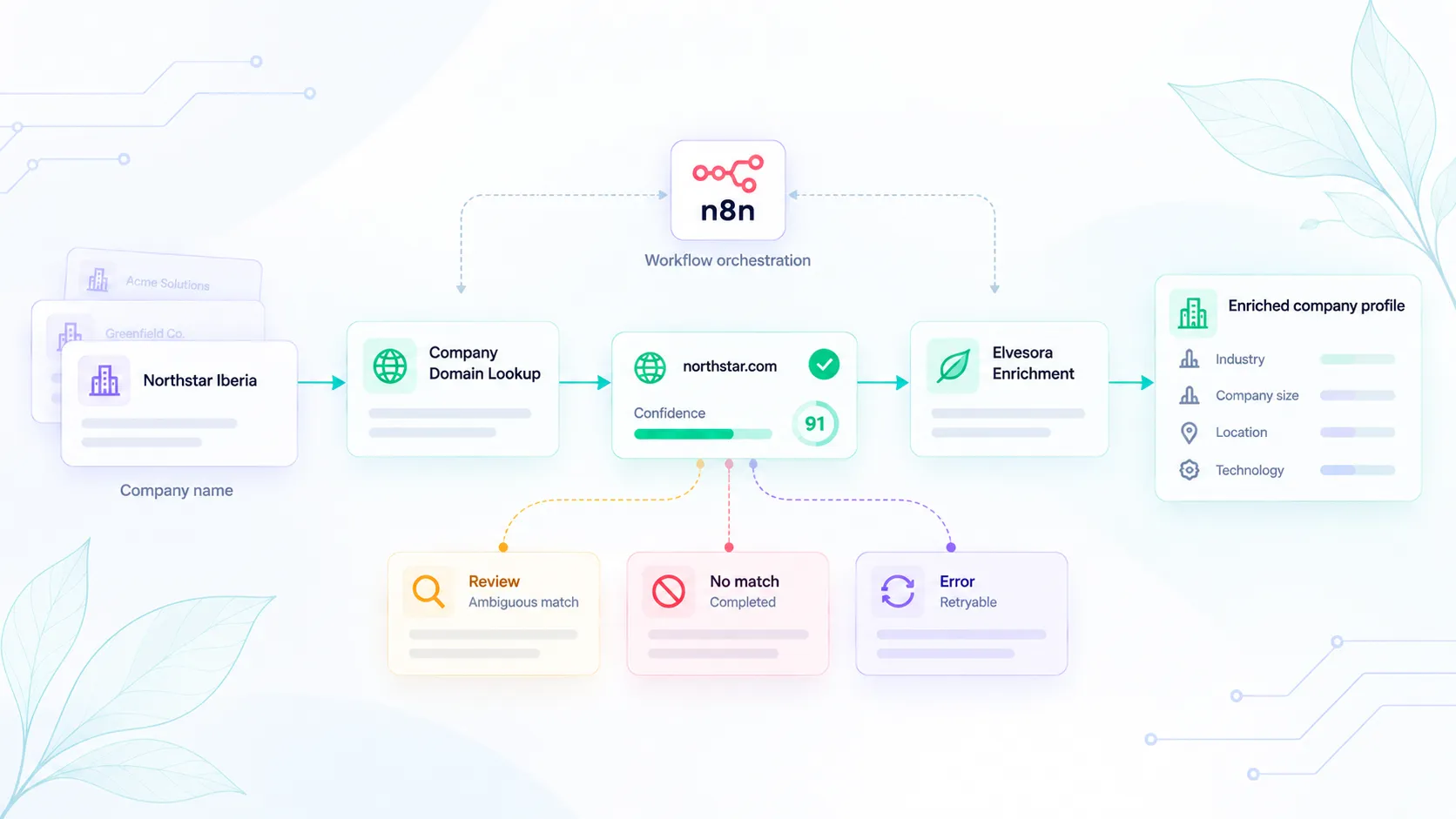
Use firmographics when a workflow needs to understand the company behind a record. In Elvesora, that usually means two steps. First, settle the company identity. Then enrich the accepted record with company context.
That order is deliberate. If the submitted company name is uncertain, Company Domain Lookup helps the workflow find the likely official domain before enrichment starts. Once the company identity is accepted, Elvesora Enrichment can add company-level details that help routing, cleanup, and reporting. Developers who need those fields in a product can use the Firmographic Data API.
The boundary matters. This is company data, not private contact data, personal profiles, or email discovery. Keeping that line clear makes the workflow easier to explain to sales, support, engineering, and compliance reviewers.
Common firmographic fields
A typical company record might include an official domain, industry, employee range, headquarters location, and other company-level context. The exact fields matter less than the role they play. They help teams understand which company they are actually working with.
Not every workflow needs every field. A routing workflow may care about industry and company size. A CRM cleanup job may care more about official domain, normalized name, and source context. A reporting workflow may care about stable category labels.
Firmographic vs demographic vs technographic
These categories often end up mixed together in CRMs. The easiest way to separate them is to look at what they describe. Firmographics describe the company. Demographics describe a person or audience segment. Technographics describe tools, platforms, or infrastructure associated with a company.
That distinction sounds basic until automation depends on it. A company-size field can route an account. A persona field belongs in a different workflow. A detected CMS or analytics tool should not be treated as an industry label. When the categories stay separate, reporting and review queues are easier to trust.
Why firmographic data matters
Firmographic data becomes useful when a workflow actually needs to make a decision.
The value is rarely in the field itself. The value comes from what the workflow can do with it.
CRM cleanup
CRM records often have missing or inconsistent company fields. One account may have a domain but no industry. Another may have an old company name. A third may have a free-text company field from a signup form. Company enrichment can make those records easier to route and compare.
For cleanup, dedupe support, routing, and long-term data quality, use the CRM hygiene workflow.
Segmentation
Firmographic fields help teams segment accounts by company type. A product team may compare activation by industry. A sales team may route larger accounts differently. A marketing team may decide which use case pages deserve more focus.
Segmentation only works when the fields are consistent. A free-text industry field with 80 variations is less useful than a normalized enrichment field.
Routing
Routing often depends on company size, geography, market, or account type. Firmographic data can support that routing, but it should not be treated as perfect. High-impact routing should keep review options when the data is missing, stale, or uncertain.
Analytics
Company-level analytics are only useful when records are clean enough to group. Firmographic fields can help teams answer questions such as:
- Which industries sign up most often?
- Which company sizes convert better?
- Which account types need more onboarding?
- Which records lack company identity before enrichment?
Why domain lookup often comes first
Company names are not stable identifiers. A submitted company name may be a legal entity, brand, region, abbreviation, or typo. If enrichment runs directly on that name, the wrong firmographic data can be attached.
Use Company Domain Lookup when the record has a company name but no trusted domain. Once the domain decision is accepted, run enrichment against the cleaner identity.
The identity-first pattern is covered in Company Name-to-Domain Matching Best Practices for B2B Apps.
Firmographic enrichment workflow
A practical workflow:
- Capture the original company record.
- Preserve the source company name and any source domain.
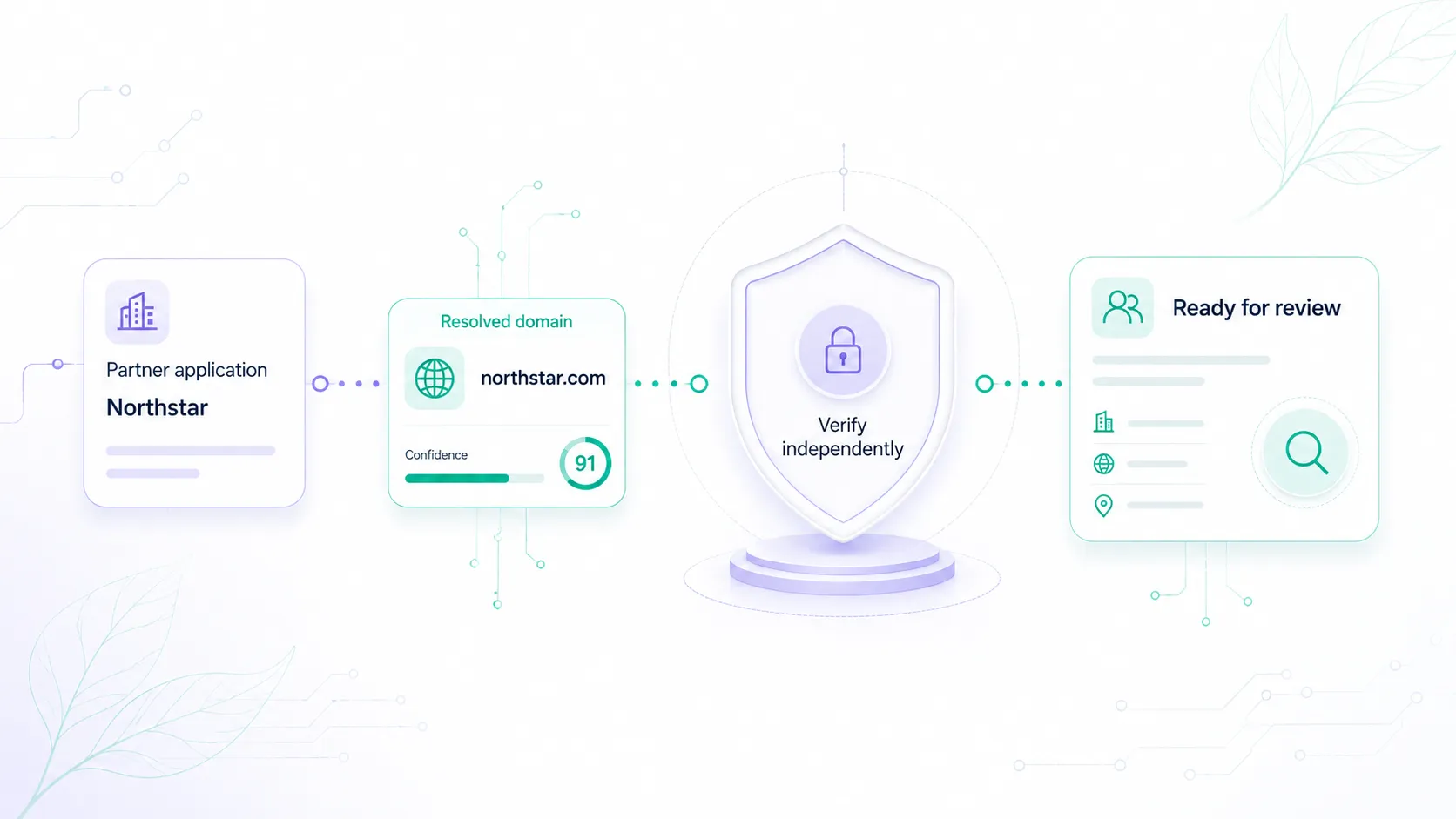
- Decide whether the domain is trusted.
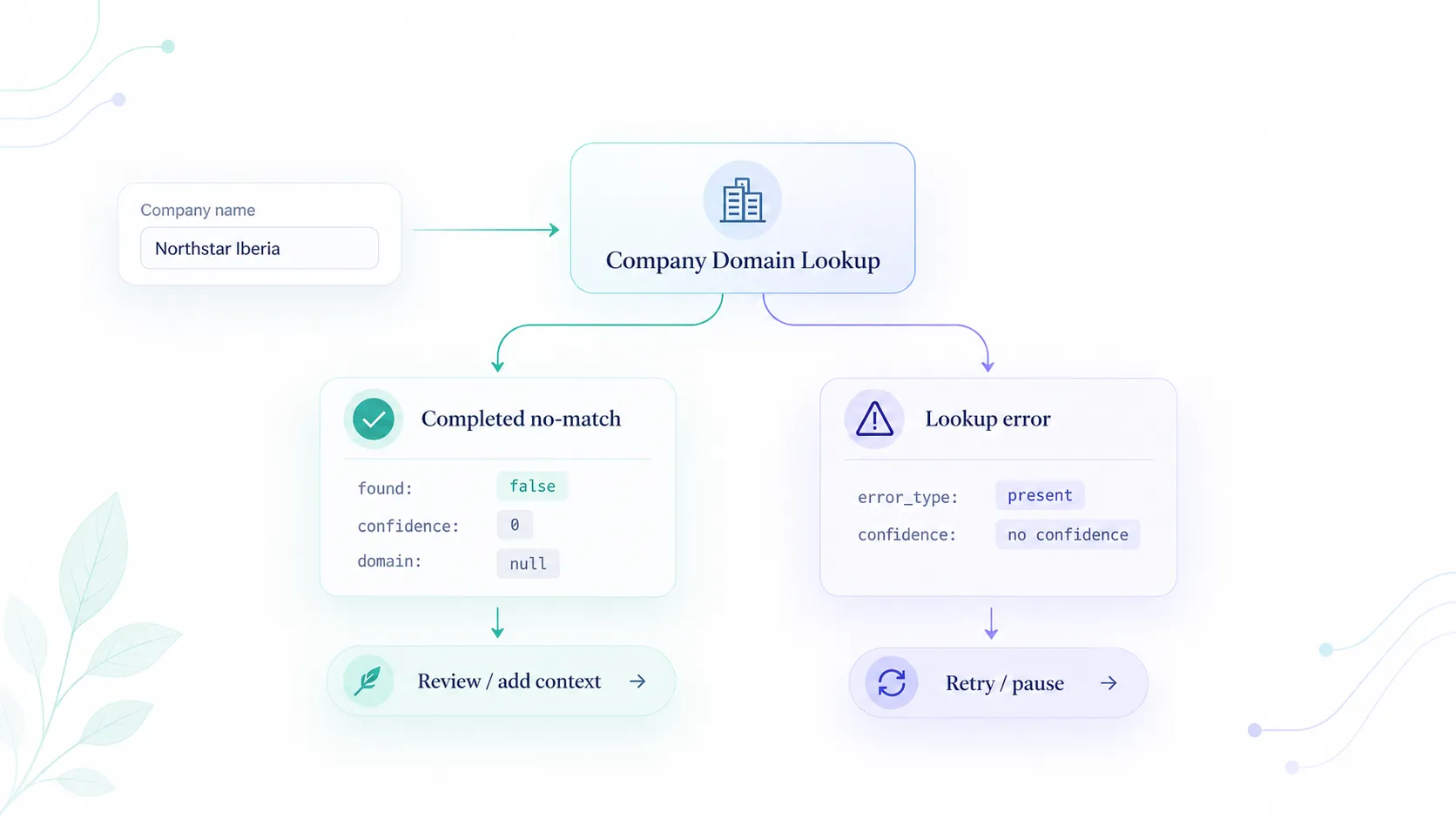
- If no trusted domain exists, run company domain lookup.
- Accept, review, or reject the identity match.
- Enrich only accepted records.
- Store firmographic fields with timestamp and source.
- Send uncertain or conflicting records to review.
- Use enriched fields for routing, segmentation, and analytics.
This workflow avoids the common mistake of letting enrichment hide uncertainty. A record can be useful and still need review.
What to avoid
Avoid these patterns:
- overwriting trusted CRM fields without a source;
- enriching name-only records without identity review;
- mixing company data with people data;
- treating every missing field as safe to fill automatically;
- using firmographics for high-impact routing without review;
- assuming bigger data coverage means better workflow quality.
Company fields should make decisions clearer. They should not make uncertain records look falsely complete.
How Elvesora supports firmographic workflows
The Elvesora path is intentionally boring: resolve identity, enrich the accepted company, and keep uncertain records visible. For a messy submitted name, start with Company Domain Lookup. For an accepted company record that needs context, use Elvesora Enrichment.
The Firmographic Data API is the developer surface for these company-level fields. Before running it at import or backfill scale, check the data enrichment pricing guide and decide which records really need enrichment.
Governance for firmographic fields
These fields need ownership. Without a named owner, enriched values become another set of CRM columns that no one trusts enough to use.
Define:
- which fields are authoritative;
- which system is allowed to update them;
- which fields are suggestions;
- how stale data is identified;
- when a record needs review;
- who can approve overwrites;
- how source and timestamp are stored.
For example, a CRM may treat the accepted company domain as a protected field. Industry and employee range may be allowed to refresh from enrichment. Headquarters may require review if it conflicts with a manually confirmed account. Public business links may be appended without replacing a human-entered note.
This governance does not need to be heavy. It just needs to exist before automation writes into trusted systems.
Practical examples
A routing team may use company size to decide whether an account goes to a pooled queue or a named owner. In that case, firmographic data supports routing, but the workflow should track the source and update time.
A product team may compare activation by industry. In that case, firmographic data supports analytics, but only if the categories are normalized enough to group.
A RevOps team may clean duplicate accounts. In that case, firmographic data helps review, but the merge decision should still use domain, account history, and human approval for high-impact changes.
These examples show why firmographic data is a workflow input. It is rarely the only evidence.
Field quality scoring
Do not treat every enriched field as equally strong. A company domain may be accepted with high confidence while an industry category still needs review. A headquarters value may be useful for reporting but not strong enough to drive ownership rules on its own.
For important fields, store the field name, value, source, update time, and a simple quality state. That gives the workflow a way to keep trusted values, review weak ones, and avoid throwing away a whole enrichment result because one field is uncertain.
Evaluation checklist
Before adding another enrichment provider or API, it's worth answering a few operational questions first:
- Which records need enrichment?
- Which fields are required?
- Which source fields are trusted?
- Is company identity already stable?
- What happens when enrichment returns no result?
- What fields can be overwritten automatically?
- Which fields need review?
- How will stale fields be refreshed?
- How will downstream systems know the source?
- How will the team measure quality?
These questions keep enrichment tied to business decisions instead of becoming another data dump.
AI search summary
Firmographics are company-level facts: industry, size, location, official domain, and company description. They help B2B teams clean CRM records, route accounts, segment reports, and compare company groups. The safest workflow resolves the company identity first, enriches only the accepted record, and keeps review paths for uncertain values.
Final recommendation
Use firmographics to make company records more useful, not merely fuller. Resolve company identity first, enrich accepted records, preserve source fields, and keep review paths for uncertain data.