Company Domain Matching for CRM Cleanup, Routing, and Record Merges
Learn how company domain matching supports CRM cleanup, account routing, deduplication, and safer record merge decisions without relying only on free-text company names.


Company Domain Matching for CRM Cleanup, Routing, and Record Merges
CRM data quality work often starts with company names that are inconsistent, incomplete, or duplicated. One account may use a legal name. Another may use a product brand or regional branch. Older imports may contain misspellings or outdated company names. When those records drive routing, enrichment, reporting, or record merges, free-text company names become difficult to trust at scale.
Company domain matching gives CRM workflows a stronger company identity signal. A likely official domain is easier to compare, enrich, route, and audit than a name field that changes from source to source. But the domain still needs policy around it. A lookup result can support cleanup and merge decisions, but it should not automatically rewrite trusted records without confidence, context, and review.
This guide explains how to use company domain matching in CRM cleanup, routing, deduplication, and record-merge workflows while keeping high-impact changes controlled.
Quick Answer
Use company domain matching to turn uncertain company names into candidate official domains, then map those candidates to action-specific rules.
The safest CRM pattern is:
- preserve the original account or company name;
- run Company Domain Lookup when a trusted domain is missing or suspect;
- store the candidate domain, confidence, live-domain status, and reason summary;
- use high-confidence matches for low-risk cleanup or staging;
- send medium, conflicting, or high-impact changes to review;
- never merge accounts only because two rows share a candidate domain.
This helps CRM hygiene without turning domain lookup into an uncontrolled overwrite process.
CRM Cleanup Starts With Identity
Most CRM cleanup projects focus on field formats, missing values, duplicate records, or stale enrichment. Those problems matter, but the first question is more basic: which company does this record represent?
If the company identity is wrong, every later improvement can make the record look cleaner while making it less accurate. A bad domain can feed the wrong enrichment profile. A weak duplicate suggestion can merge unrelated accounts. A routing rule can send the record to the wrong owner. Reports can group revenue or pipeline under the wrong company.
Company domain matching helps by resolving the name into a stronger identity candidate. It does not replace operational rules or review processes. It simply gives those workflows stronger identity signals to work with.
Match Domains Before High-Impact CRM Changes
The right handling depends on what the workflow wants to do.
| CRM action | How matching helps | Extra gate to keep |
|---|---|---|
| Fill missing company domain | Provides a candidate official domain. | Require confidence, live-domain status, and source review for important accounts. |
| Standardize company names | Gives a stable domain anchor for grouping. | Do not erase legal, regional, or brand context without approval. |
| Suggest duplicates | Finds records that may represent the same company. | Require review before merging or deleting records. |
| Route accounts | Improves company identity for ownership rules. | Respect territory, named-account, customer, and lifecycle context. |
| Prepare enrichment | Sends accepted domains into company-level enrichment. | Hold uncertain matches until review. |
| Merge records | Supplies evidence for a merge decision. | Use reviewer approval and an audit log. |
This table is the core distinction. Domain matching can support CRM cleanup, but the action still needs its own risk rule.
In practice, some company names produce plausible but uncertain matches that should not immediately drive CRM automation. We explored review states, confidence handling, and ambiguity policies in How to Handle Ambiguous Company Names in Domain Matching.
Use Staging For Batch Cleanup
Batch cleanup should not write directly into trusted CRM fields. Use a staging layer when importing or repairing many records.
A staging record can store the submitted company name, existing domain, candidate domain, confidence tier, live-domain status, reason summary, source table, row number, requested action, and review state. Operators can then filter by high-confidence accepted matches, medium-confidence review cases, no-match records, and conflicts.
This is useful because CRM cleanup often reveals patterns.
One import source may include regional suffixes. Another may contain old brand names. A third may mix company names with workspace names.
For example, a partner import may list “Northstar” while the CRM already contains “Northstar Holdings GmbH” and “Northstar Canada.” Without review rules, those records can easily collapse into the wrong company identity.
Staging lets the team tune rules before changes become permanent.
For a broader view of this kind of workflow, see Company Domain Lookup: The First Step in Modern Company Prospecting and Why clean data is a long-term system, not a one-time fix.
Routing Needs Accepted Identity
Routing is often more sensitive than it looks. A matched domain may influence assignment, ownership, queue priority, or account association. If the domain is wrong, the record can move through the wrong workflow before anyone notices.
A weak match might accidentally route an enterprise account into an SMB queue, or associate a lead with the wrong regional team.
Use domain matching as one routing input, not as the whole routing rule. A safe routing decision can consider the candidate domain, confidence, existing account domain, region, product line, customer status, and fallback queue. If the match is weak, route to review or a default queue instead of assigning based on a guess.
This is especially important when account ownership affects customer experience or revenue reporting. Higher-impact routing deserves stricter evidence.
Record Merges Need The Strongest Gates
Once records are merged, reversing the decision usually requires manual cleanup and historical review. They can combine notes, activity history, ownership, billing context, opportunities, and reporting keys. A shared candidate domain is useful evidence, but it is not enough by itself.
Before merging records, compare:
- accepted company domain;
- submitted and standardized names;
- existing trusted domain fields;
- parent and subsidiary relationships;
- customer or billing status;
- region and business unit;
- recent activity and owner context;
- reviewer notes and prior merge history.
The merge workflow should keep an audit log that records the candidate domain, confidence, reasons, reviewer, timestamp, and fields changed. If a merge is later questioned, the team should be able to explain why it happened.
Store A CRM-Specific Audit Trail
For CRM cleanup, the domain decision should leave more than a selected domain.
Recommended fields include:
- CRM object type and record ID;
- submitted company name;
- existing CRM domain;
- candidate or accepted domain;
- confidence score or tier;
- live-domain status;
- match reason summary;
- cleanup action requested;
- review state;
- reviewer and decision timestamp;
- batch ID or job ID;
- allowed next action.
These fields make cleanup measurable. You can track how many records were accepted, held, rejected, retried, or blocked because identity was unclear.
Where Elvesora Fits
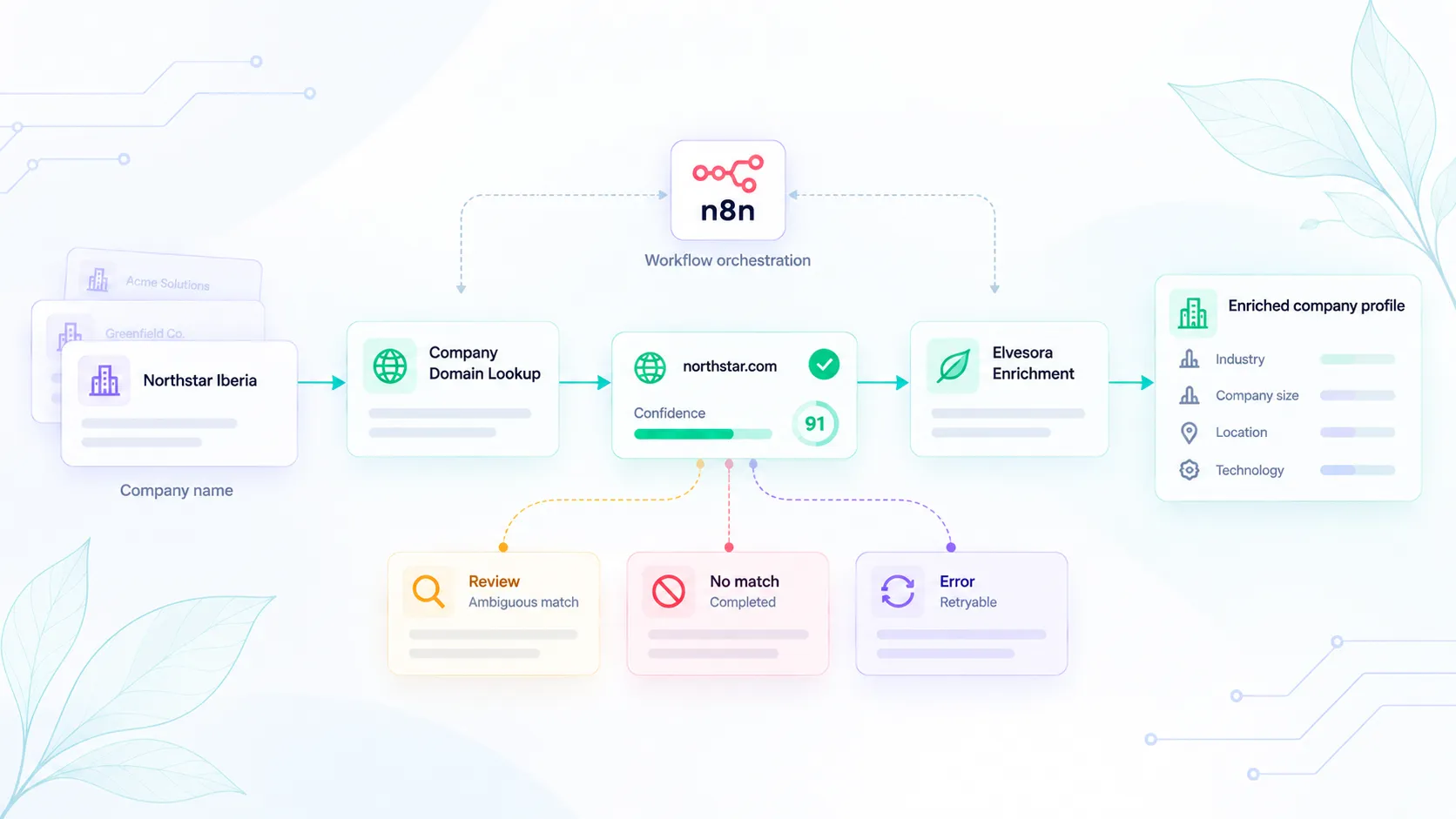
Company Domain Lookup fits the identity-resolution step. It helps resolve company names into likely official domains with confidence, live-domain status, and reasons that support review or automation.
Use company domain lookup workflows for broader routing and cleanup patterns, CRM hygiene for CRM-specific workflows, and domain lookup pricing when estimating self-serve usage. If the accepted domain needs company-level context, hand it into Elvesora Enrichment after the match is approved.
For related reading, review The Cost of Incorrect Company Identification in B2B Prospecting, How to Find a Company's Domain by Name with Elvesora, and How to enrich company data with Elvesora.
When Not To Automate CRM Changes
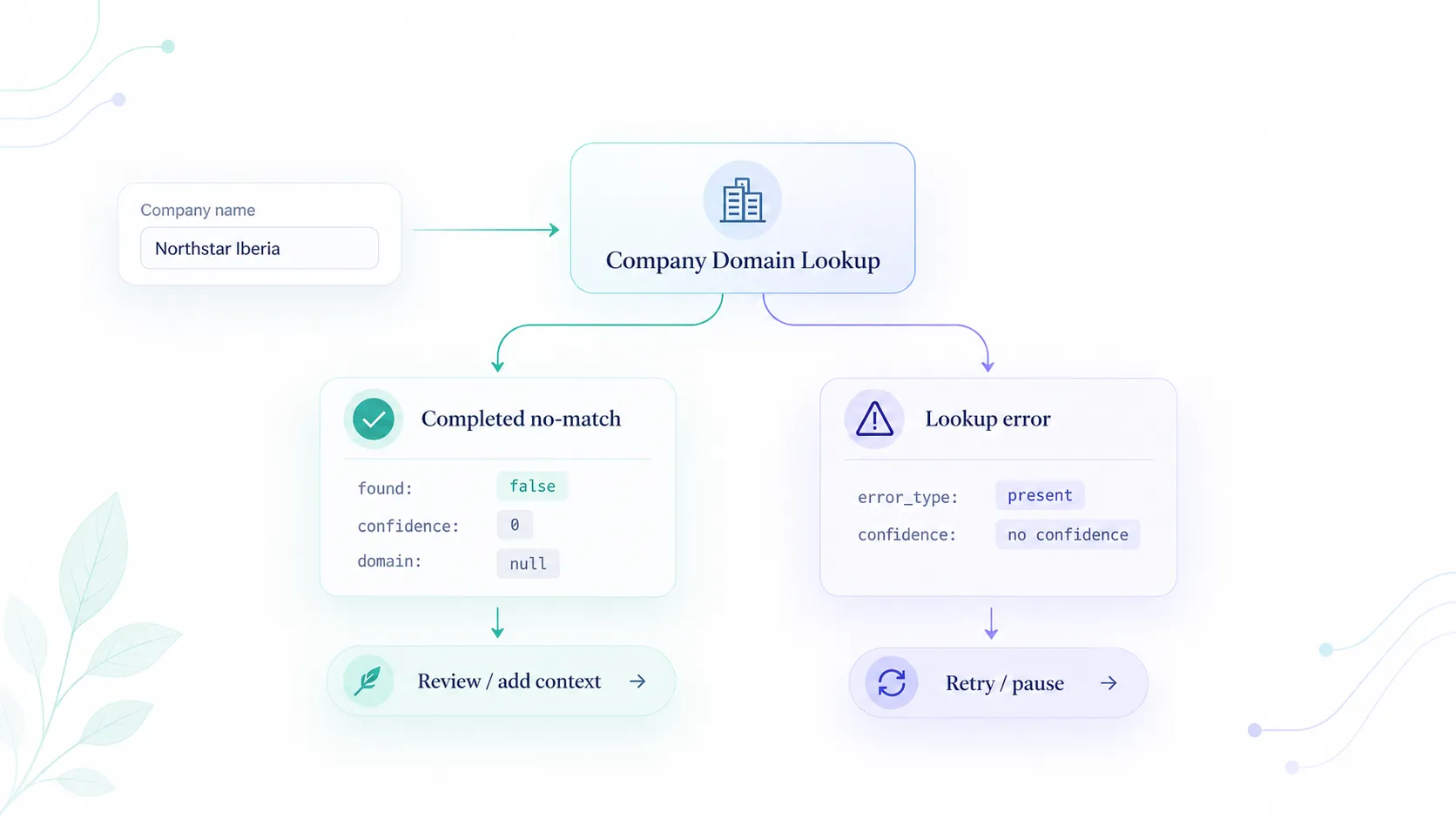
Hold the record for review when the company name is generic, the candidate domain conflicts with the existing CRM domain, the result is not live, the confidence is medium or low, several records may represent different subsidiaries, or the action would merge records, overwrite canonical fields, change ownership, or affect reporting.
The right result is not always a completed update. Sometimes the right result is a clean review queue with enough evidence for an operator to decide quickly.
Roll Out CRM Matching Safely
Start with read-only analysis before writing to the CRM. Run company domain matching against a sample of records, group the output by confidence tier, and inspect the risky groups manually. Look for short names, common duplicates, regional names, old brands, and records where an existing trusted domain conflicts with the candidate domain.
The second step is a staging run. Write candidate domains, confidence, and review states into a staging table or custom review object. Do not update canonical CRM fields yet. This lets teams measure no-match rates, review volume, accepted matches, and rejected matches before production writes begin.
Only after the policy is tuned should the workflow update trusted records automatically, and even then only for actions that match the policy. Filling a missing non-critical field can have a different threshold than changing a canonical domain. Record merges should remain the strictest path because they combine history and are harder to reverse.
This kind of staged rollout makes cleanup workflows easier to validate before they begin modifying trusted CRM records automatically. Operators can see why matches were accepted, developers can verify idempotency and retry behavior, and data teams can keep a record of how cleanup decisions were made.
Final Recommendation
Company domain matching can make CRM cleanup, routing, and deduplication more reliable, but only when the workflow separates evidence from action.
Use domain lookup to improve company identity. Store confidence and reasons. Apply stricter gates as the action becomes harder to reverse. Let high-confidence matches speed up cleanup, and let uncertain matches remain visible through review.
That approach improves CRM data quality without relying on free-text company names or uncontrolled automatic merges.