Replacing Clearbit Domain Lookup Workflows After the HubSpot Acquisition
Clearbit joined HubSpot and legacy free tools have changed. Use this developer migration plan to replace domain lookup workflows without losing company identity context.

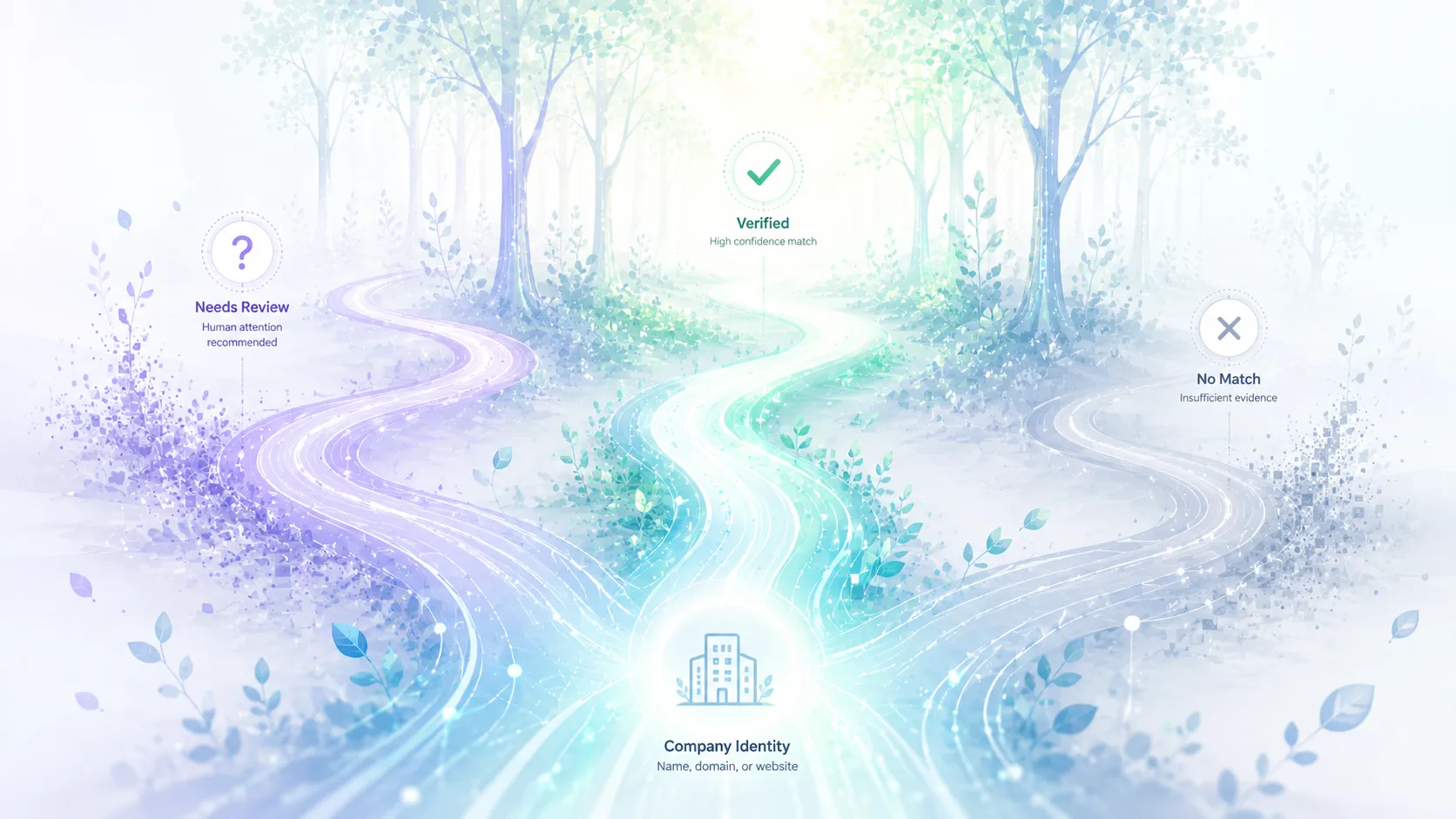
Clearbit is no longer a neutral "drop this API into any workflow" decision for every team. HubSpot acquired Clearbit, Clearbit has been folded into HubSpot's data products, and Clearbit has also announced changes to long-running free tools. That does not mean every Clearbit workflow is gone. For a developer, the next question is narrower: where did the lookup run, which fields did downstream code trust, and does a HubSpot-centered product still fit that job?
I am treating the migration as an identity problem: the app receives a company name, email domain, or website, then needs cleaner company context before routing, signup review, CRM cleanup, or company-level enrichment. The safest replacement is not a one-line vendor swap. The safer replacement is a small migration: separate company identity from company enrichment, preserve the old input, and decide what each lookup result is allowed to change.
Practical migration choice
If Clearbit powered lookup outside HubSpot, start with the parts of the workflow that actually depend on the response. Some teams only needed a likely official domain. Others used the same call to fill company context, route accounts, or clean CRM rows. Those are different jobs, and they should not be migrated as one black box.
A HubSpot-native path still makes sense when the operators and the data already live in HubSpot and Breeze Intelligence fits the current job. A direct Company Domain Lookup API fits better when your own application needs to resolve company names to likely official domains. Elvesora Enrichment belongs after the company identity is accepted and the workflow needs company-level firmographic context.
The migration question is not "Which vendor returns the biggest profile?" It is "Which decision needs identity, which decision needs enrichment, and which decision should still wait for review?"
What changed
HubSpot's acquisition of Clearbit is a useful reason to review existing lookup workflows, especially those that run outside HubSpot.
For many teams, the challenge is not replacing a single API call. The challenge is understanding how that lookup result is used across the system.
A company-domain lookup often sits inside signup flows, CRM sync jobs, CSV imports, routing rules, enrichment pipelines, and cleanup tasks. When those workflows depend on Clearbit, the migration becomes a workflow review as much as a vendor replacement.
Before changing anything, identify:
- where lookup runs;
- which fields are stored;
- which fields are trusted enough to overwrite existing data;
- which workflows depend on the result;
- how uncertain matches are handled.
A migration is usually safest when company identity, enrichment, routing, and CRM updates are reviewed as separate decisions rather than treated as a single vendor swap.
Split the old Clearbit job into two jobs
Many Clearbit implementations blended identity and enrichment. A request would return a company profile, then the application would keep whichever fields looked useful. That is convenient, but it makes migration harder because the app never says which part of the response matters most.
Use the migration to separate two jobs.
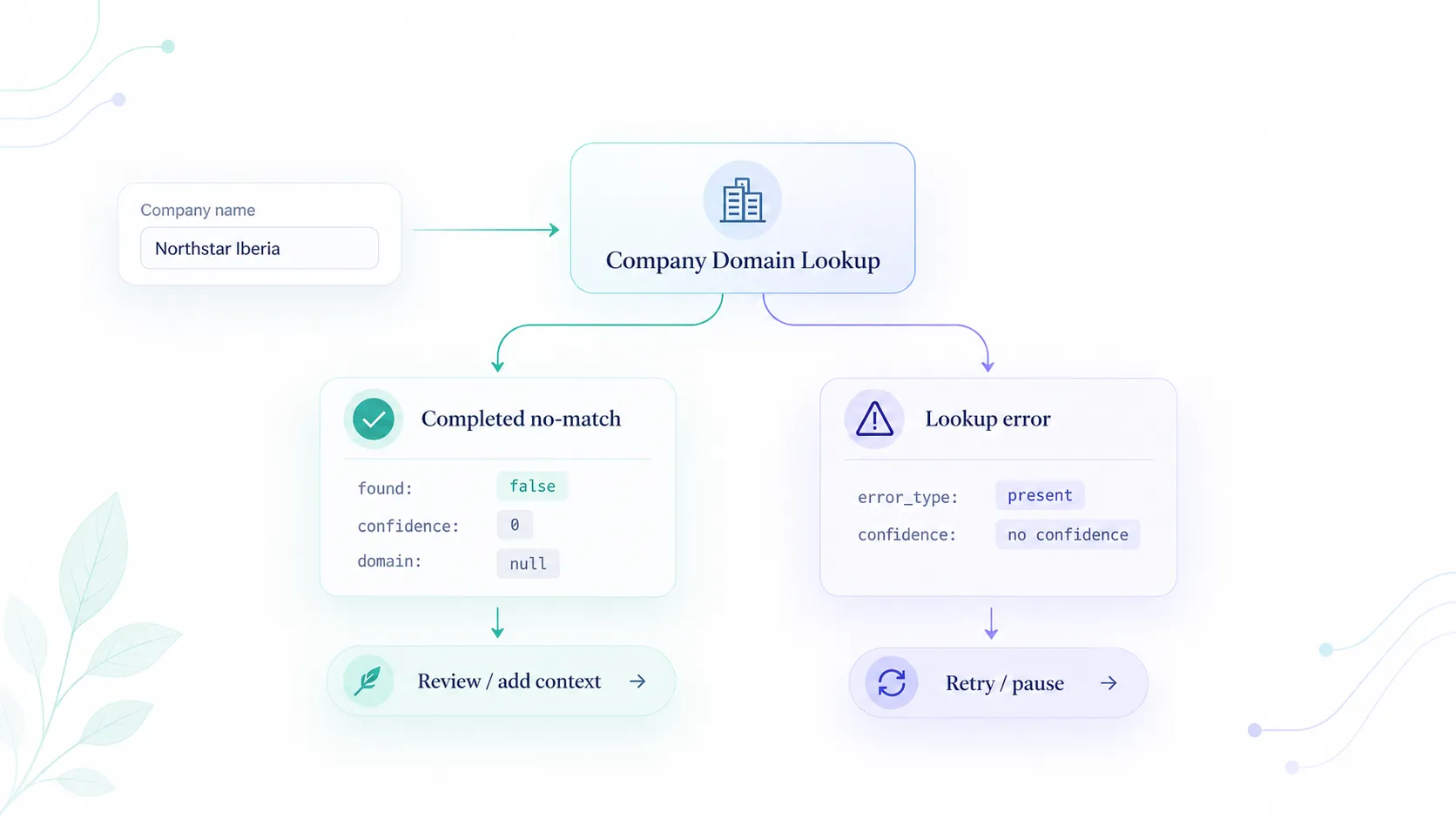
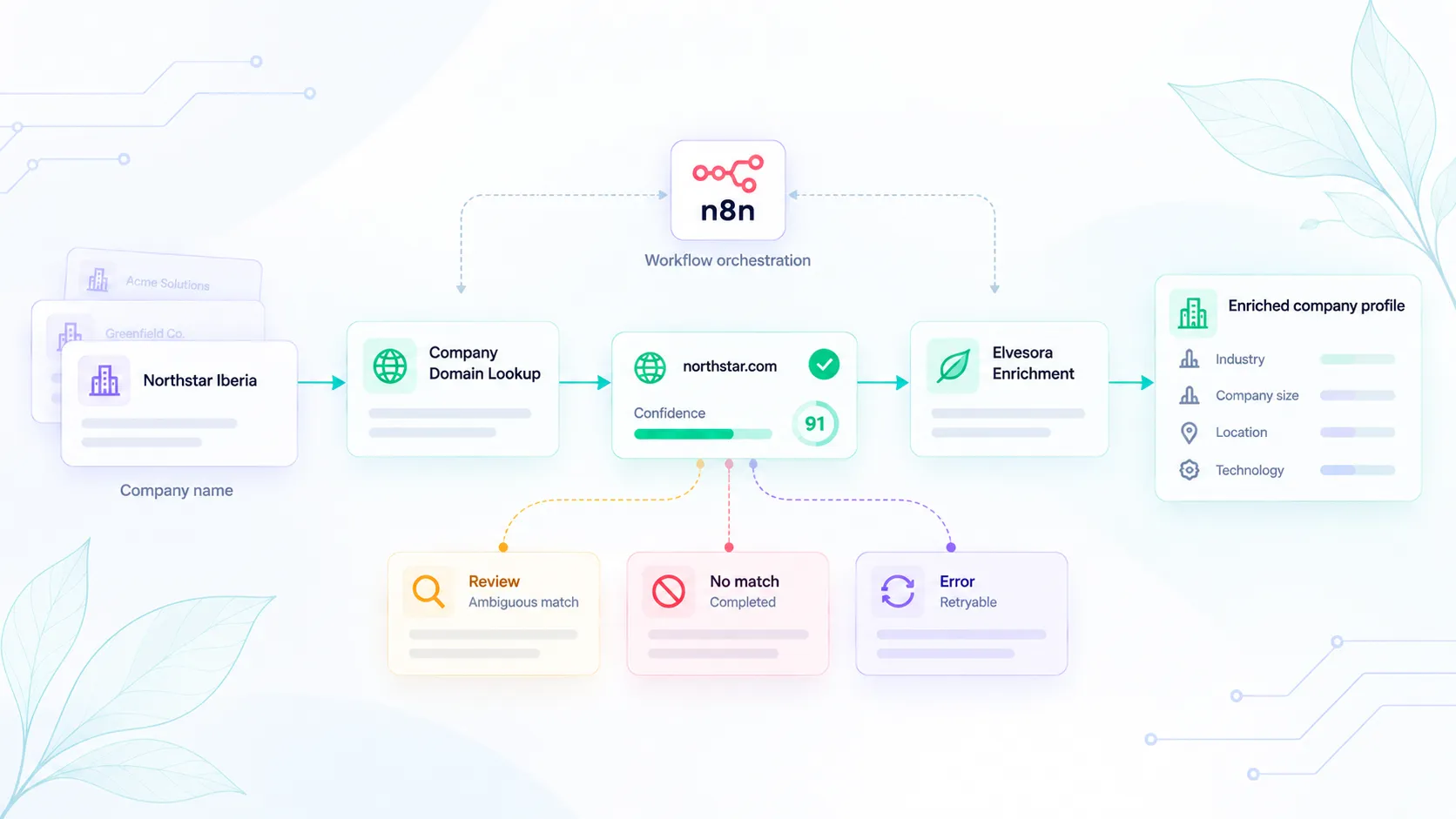
First, resolve identity. If the source only has a company name, the application needs a likely official domain, match confidence, live-domain status, and enough reasoning to decide whether to accept the result. This is the job for company domain lookup.
Second, enrich accepted records. Once the company identity is stable, the application can add company-level data such as industry, headquarters context, employee range, descriptions, and public business links. This is the job for company data enrichment and the Firmographic Data API.
This split keeps the application honest. A weak name match should not automatically become an enriched company record. A trusted domain should not be looked up again just because an old job did both steps at once.
Migration map
Use this map to decide what each old Clearbit call should become.
- Resolve a company name to a likely website: keep the submitted name, run Company Domain Lookup, and store the confidence and reasoning next to the result.
- Add company-level context after identity is accepted: enrich only after a trusted domain or reviewed match exists with Elvesora Enrichment.
- Clean CRM records with missing domains: stage records, accept clear matches, and review ambiguous names in a CRM hygiene workflow.
- Build an API-first workflow outside HubSpot: use direct API calls with retry, idempotency, and decision states from the company domain lookup API guide.
A five-step developer migration
1. Freeze the current behavior
Do not start by deleting the old integration. Add logs or exports that show the current input and output shape. A small sample is enough: 50 signups, 50 CRM records, or 50 imported rows. Save the original company name, email domain if present, old matched domain, old enrichment fields, and the downstream action.
Look for cases where the current integration did more than expected. A lookup may have filled a company domain, updated an employee count, changed a country field, or triggered a routing rule. Those side effects matter because the replacement should not silently change them.
2. Classify each call site
Put every call site into one of four buckets:
- identity lookup only;
- enrichment only;
- identity lookup followed by enrichment;
- unclear or mixed behavior.
The unclear bucket is usually the most important. That is where old enrichment code often became a catch-all data patch. Give those workflows a separate review before writing new code.
3. Add a company identity state
Store the old source value and the new decision separately. A useful model has fields like:
source_company_name
source_company_domain
resolved_company_domain
domain_match_confidence
domain_match_reason
domain_match_status
identity_decision
identity_reviewed_at
identity_source
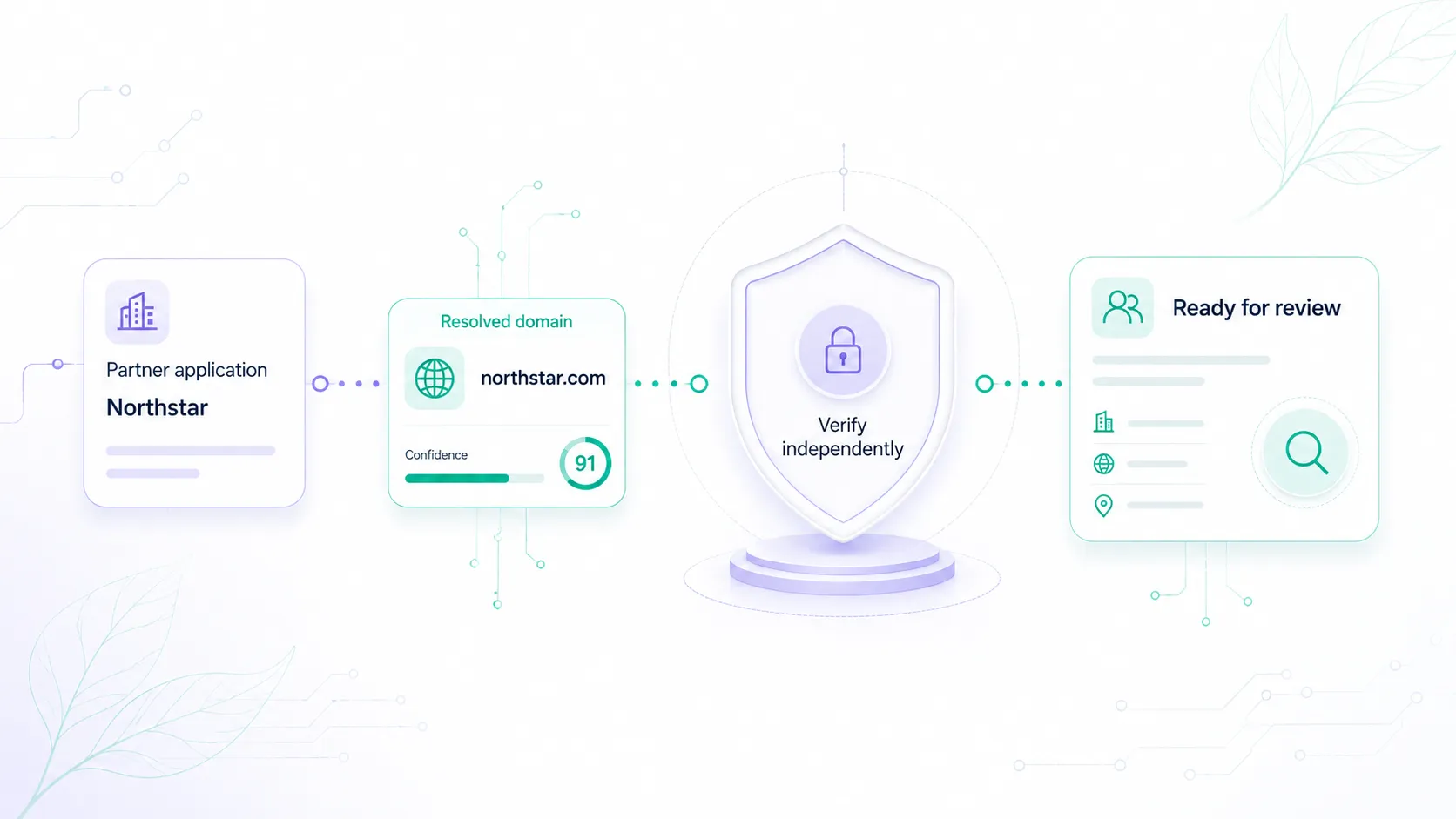
The names can change, but the point should not. A domain match is evidence. The accepted company identity is a decision. Keeping those separate lets a workflow continue when the result is clear and pause when the match is weak.
For a deeper version of this pattern, read the published guide on company name-to-domain matching best practices.
4. Route accepted domains into enrichment
Once the identity state is accepted, hand the domain to the enrichment step. If the domain was reviewed, keep that review marker attached to the record. If the domain came from a trusted source, store that source. If the domain came from a low-confidence lookup, do not enrich automatically.
This is where teams often make the migration too broad. A company data enrichment API should not be asked to solve an identity problem that the previous step skipped. Enrichment is most useful when the key is already stable.
5. Compare outputs before publishing changes
Run the old and new paths side by side on a sample. Compare:
- domain match rate;
- number of review cases;
- number of no-match cases;
- records that would change domain;
- enrichment fields that would change routing or segmentation;
- jobs that previously failed silently.
The goal is not to force identical output. The goal is to identify where the new workflow is stricter, clearer, or safer. A migration that creates more review cases may still be better if the old system accepted weak matches.
When HubSpot is still the right fit
HubSpot may still be the right path when the whole workflow is inside HubSpot and the team wants HubSpot-native enrichment behavior. That is a product decision, not a failure. Keep the workflow where the operators live.
Choose a direct API replacement when:
- the lookup runs inside your own app;
- records start in product signup, billing, CSV import, or webhooks;
- the system needs API-level control over confidence and review states;
- the domain is used before a CRM record exists;
- the workflow combines identity lookup with non-HubSpot enrichment or routing.
That distinction keeps the migration practical. You do not need to rebuild a HubSpot workflow just to avoid HubSpot. You do need a direct API when your own application owns the decision.
Practical checklist
Before removing the old Clearbit call, make sure the replacement can answer these questions:
- What source supplied the company name or domain?
- Is the original value preserved?
- Does the workflow distinguish candidate domain from accepted domain?
- What confidence threshold allows automatic action?
- What happens to medium-confidence matches?
- Which fields are safe to enrich automatically?
- Which CRM changes require review?
- Can operators see why a domain was selected?
- Is the failure mode visible in logs or queues?
- Does the product have a self-serve path to retry or review?
If the old implementation cannot answer those questions, the migration is an opportunity to improve the data workflow, not just change vendors.
Source notes
This draft should be reviewed again before publication because vendor packaging changes. Confirm Clearbit and HubSpot wording on the current Clearbit and HubSpot pages, and keep price or product availability claims dated. The migration guidance above is intentionally built around workflow design, which changes less often than vendor packaging.