Reduce Email Bounce Risk Before Signup and Sending
A practical runbook for validating email before signup, CRM intake, and sending—without confusing risk signals with guaranteed bounces or inbox placement.

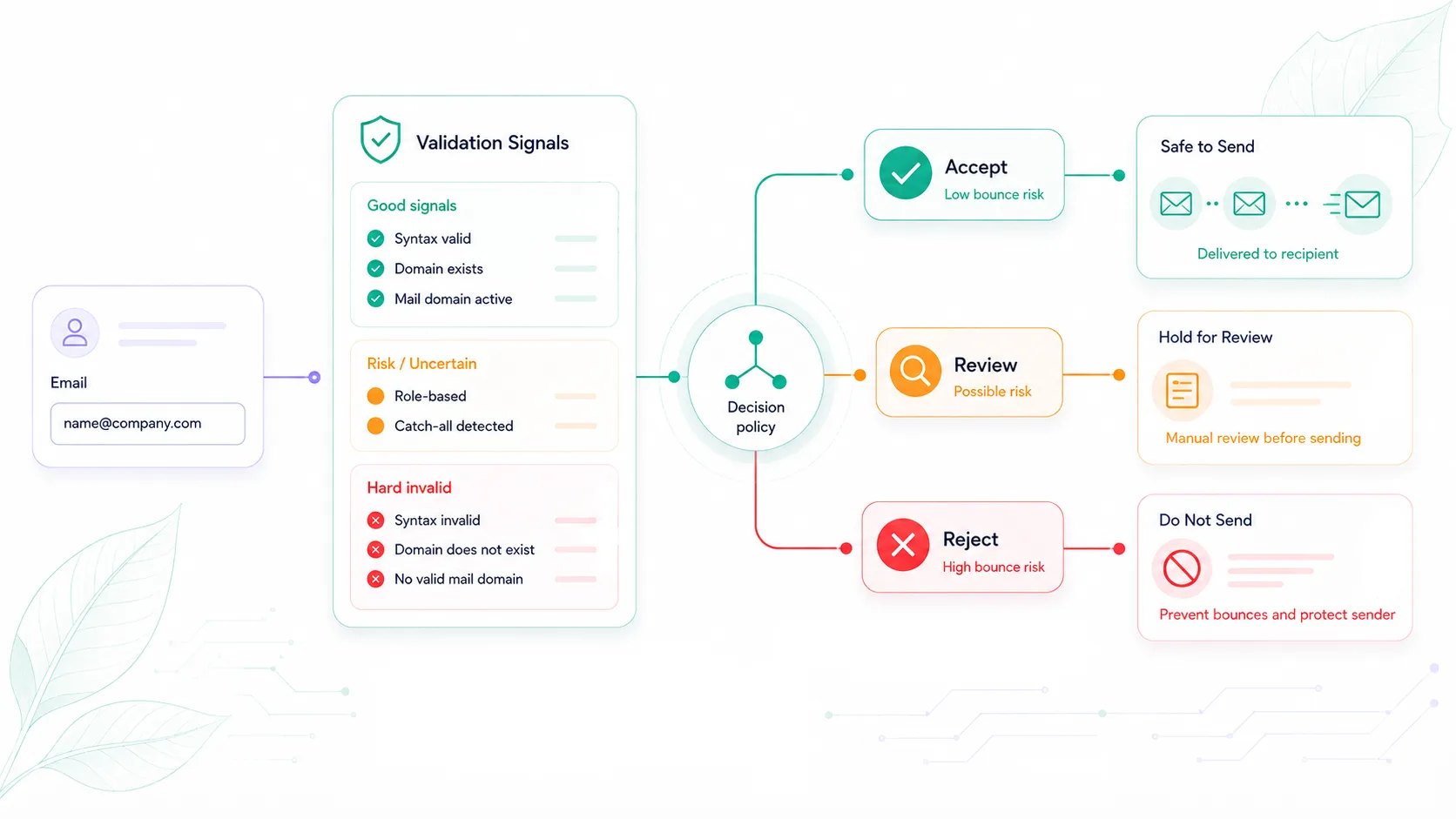
Email validation can catch some recipient problems before they turn into bounces. It cannot guarantee a lower bounce rate or better inbox placement. The safe approach is to validate addresses before they spread, treat clear invalidity differently from policy risk and uncertainty, and connect those decisions to actual send feedback.
A malformed address and a previously hard-bounced recipient are not the same as a role inbox, a disposable address, or a catch-all domain. Blocking all of them as “invalid” can stop legitimate users without proving that the messages would have bounced.
This guide is the operational runbook: where to validate, how to route each class of result, how to roll rules out safely, and how to measure the outcome. For the foundational definitions, start with What Is Email Validation? Complete Guide for SaaS Teams.
Start with what a bounce actually tells you
Amazon SES separates bounces into persistent and temporary delivery outcomes:
- A hard bounce reflects a persistent rejection, such as an invalid recipient or suppression-list condition.
- A soft bounce reflects a temporary condition, such as a full mailbox or a receiving system that cannot accept the message at that time.
Your sending provider's event is the post-send source of truth for what happened to that message. Pre-send validation is evidence collected earlier. It can identify obvious malformed input, invalid classifications, disposable patterns, role accounts, catch-all uncertainty, and other risk signals, but it cannot predict every future receiver response.
Recipient quality is also only one part of deliverability. Gmail can limit, block, or classify messages as spam because of sender authentication, DNS, TLS, reputation, formatting, policy, or unsubscribe issues.
Use validation as one control in a larger sending program, not as a replacement for sender configuration and bounce processing.
Separate four categories before writing rules
| Category | Examples | What it means | Default handling to consider |
|---|---|---|---|
| Clear invalidity | malformed syntax, provider-invalid classification, bogus domain under an explicit rule | Strong evidence that the address should not enter this workflow | Block intake or request a correction |
| Policy risk | disposable, role, free-provider, team block-list match | The address may be usable, but conflicts with a workflow rule or risk tolerance | Allow, review, or block according to the named policy |
| Uncertainty | catch-all, low score, inconclusive mail-server signal, provider unavailable | Evidence is not strong enough for an automatic valid/invalid conclusion | Review, verify, or retry |
| Post-send feedback | hard bounce, soft bounce, delivery, complaint | What the sending system observed for a particular message | Suppress, retry, investigate, or retain according to the event |
This table prevents three common mistakes:
- treating a role address as proof of a bounce;
- treating catch-all as definitely valid;
- treating a provider timeout as an email-quality result.
Put validation at the entry points that create downstream cost
Do not begin by changing every system. Choose one entry point where bad recipient data is visible and where a rollback is possible.
Signup and account email changes
Run syntax checks before record creation. For PHP applications, syntax validation is only the first layer. Then run email validation when the workflow needs domain and risk evidence, apply a named signup policy, and send an ownership-verification message before granting the address full trust.
Re-run the same flow when a user changes the account email. A valid original signup says nothing about a replacement address.
Invitations
Validate before sending the invitation. Block clear invalidity, hold uncertainty, and let the inviter correct the address. A role inbox may be acceptable for a shared operational account but unsuitable for a personal invitation; keep that choice in policy.
CRM and CSV intake
Validate before weak data triggers enrichment, routing, sequences, or reporting. Store allow, review, or block with a reason code instead of silently deleting uncertain rows.
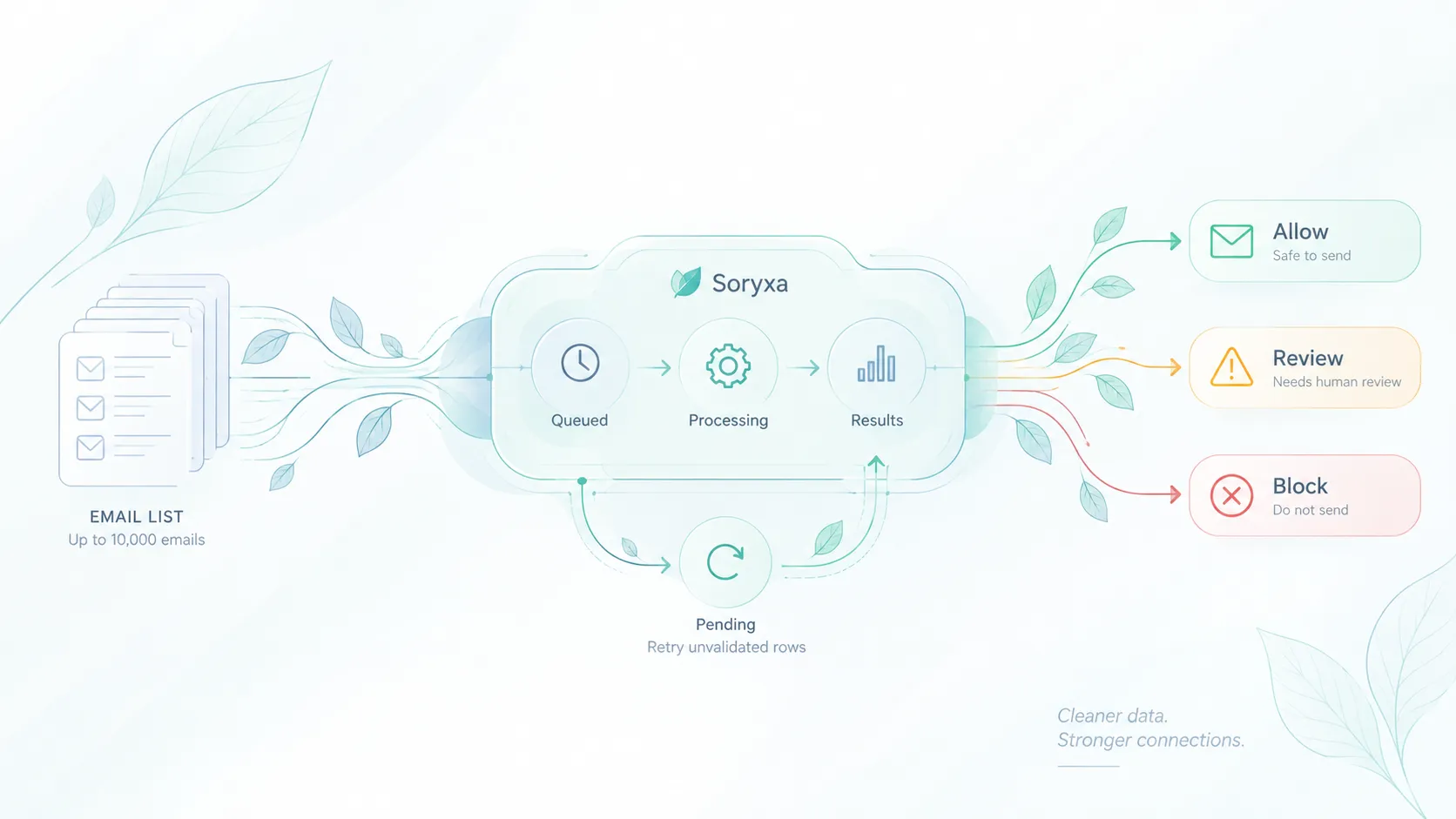
For bulk imports, process in a job. A provider or network failure should pause or retry the job rather than turning every remaining row into an allowed address.
Before send-heavy workflows
Recheck lists when their validation evidence is stale, the source is untrusted, or a previous send produced negative feedback. Pre-send validation is the final intake guardrail. It does not replace the sending platform's suppression list or bounce handler.
Build a signal-to-action matrix
Once the categories are clear, map individual signals to actions for each workflow.
Start with a conservative matrix and adjust it with your own outcomes:
| Signal or event | Signup | CRM/import | Pre-send | Reason |
|---|---|---|---|---|
| Syntax failure | Block and request correction | Reject row with an error | Exclude | Input is structurally malformed |
CLASSIFICATION_INVALID |
Block or request another address | Hold as invalid | Suppress from send | Provider returned an invalid classification |
BLOCK_BOGUS_DOMAIN |
Block | Hold for correction | Suppress from send | Explicit domain-quality blocking rule matched |
| Disposable signal | Policy-specific block or review | Tag or review | Review against campaign purpose | Disposable is a policy/risk signal, not universal bounce proof |
| Role account | Allow or review by ownership need | Often allow with a role tag | Segment or review | Shared inboxes may be legitimate |
| Free provider | Usually allow or review | Preserve with account context | Do not block solely for being free-mail | Provider type is not invalidity |
| Catch-all | Review or require ownership verification | Review | Recheck or send only under defined risk tolerance | Mailbox existence is uncertain |
SCORE_BELOW_THRESHOLD |
Review | Review | Hold or recheck | Score is below the configured review threshold |
SERVICE_UNAVAILABLE or local timeout |
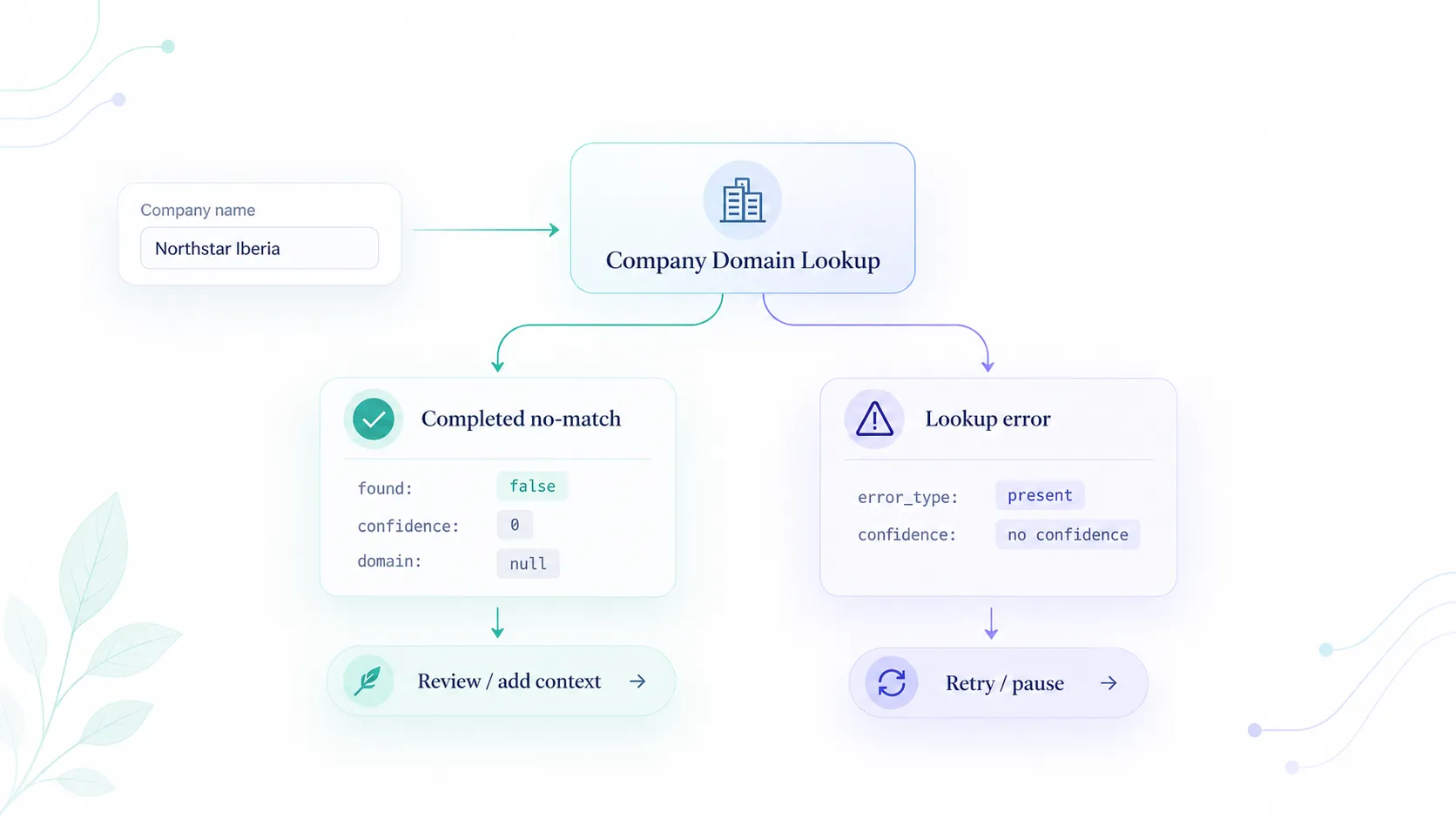
Limited/pending path | Queue a retry | Pause the affected batch | Availability is not email quality |
| Confirmed hard bounce | Ask for a correction | Mark suppressed | Suppress | Persistent post-send failure |
| Soft bounce | Keep pending and observe | Preserve event history | Let the sending system retry; review repeated failures | Temporary post-send condition |
Soryxa's current reason-code model includes separate invalid, disposable, score, history, and service-unavailable outcomes. Read decision first, then use reason_code for the specific workflow action. Do not route from human-readable messages alone.
Use allow, review, and block as real states
The important part is to keep validation evidence separate from the workflow decision.
allow: continue the workflow normally, subject to ownership verification where required;review: keep the user or record in a visible pending, limited, or operator-owned state;block: stop this workflow and provide a correction path where appropriate.
Review must not become an invisible backlog. Assign an owner, show the source workflow and reason, record the final action, and monitor age. If one reason dominates the queue, change the form, source mapping, or policy instead of asking operators to repeat the same decision forever.
The Soryxa rules and review queue supports named policies, allow and block lists, configurable handling for disposable, free-provider, and role signals, review thresholds, and staged rule rollouts. The reason-code reference documents the current routing vocabulary.
Roll out one workflow at a time
1. Record a baseline
Choose a stable window and record:
- incoming addresses by source;
- attempted sends;
- deliveries where available;
- hard bounces;
- soft bounces;
- complaints;
- signup or invite completion;
- existing suppression-list matches;
- the sending provider and configuration used.
Define every rate with its numerator and denominator. “Bounce rate” is ambiguous if one report divides by attempted sends and another divides by accepted sends.
2. Observe before enforcing broad rules
Run validation in a non-blocking or review-first mode. Count how many records would be allowed, reviewed, or blocked by reason code. Inspect samples from every group, especially legitimate users that a strict policy might stop.
3. Enforce clear invalidity first
Start with malformed input, explicit invalid classifications, and known hard-bounce suppressions. These have a clearer relationship to unusable recipient data than role, free-provider, or catch-all signals.
4. Add policy-risk rules deliberately
Decide what disposable and role addresses mean for the specific workflow. A free resource signup, a paid workspace owner, and a billing-contact field do not need identical rules.
5. Preserve a failure path
Define what happens when validation is unavailable:
- retry asynchronously;
- allow only a limited state pending verification;
- hold a high-impact action;
- pause a batch;
- alert the integration owner.
Do not silently translate the outage into allow or block.
6. Review conversion and false positives
Track both email-quality outcomes and legitimate-user impact. A policy that lowers attempted-send volume by blocking good customers is not automatically an improvement.
Useful guardrails include:
- signup completion;
- successful mailbox verification;
- review-to-allow rate;
- correction rate;
- operator queue age;
- support contacts caused by blocking;
- revenue or activation for reviewed users.
Measure the change without inventing causation
Use the same list source, sending system, message type, and comparable time window where possible. Keep raw counts beside rates.
Hypothetical example—illustrative only
The following numbers are fabricated to demonstrate the calculation. They are not an Elvesora, Soryxa, or customer result.
| Metric | Baseline cohort | Pilot cohort |
|---|---|---|
| Addresses entering workflow | 10,000 | 10,000 |
| Held before send | 0 | 150 |
| Attempted sends | 10,000 | 9,850 |
| Hard bounces | 180 | 95 |
| Hard-bounce rate | 180 / 10,000 = 1.80% | 95 / 9,850 = 0.96% |
| Signup completion | Measure | Measure |
| Held addresses later corrected or approved | Not tracked | Measure |
The pilot rate is lower in this invented example, but the table alone does not prove why. The pilot sent to fewer recipients. Campaign content, list source, sender authentication, reputation, receiver mix, and seasonality may also have changed.
To interpret the pilot properly:
- report that 150 addresses were held;
- break holds down by clear invalidity, policy risk, and uncertainty;
- follow the held cohort to correction, verification, or abandonment;
- compare similar message and recipient sources;
- avoid attributing the full difference to validation without a controlled design.
Connect validation to post-send feedback
Validation policy should learn from observed sends:
recipient_record_id
source_workflow
policy_key
policy_revision
validation_decision
validation_reason_code
validation_checked_at
review_outcome
send_event_id
send_attempted_at
delivery_event
smtp_status_class
bounce_reported_at
cohort_id
Use an internal recipient ID or protected fingerprint in analytics when the plaintext address is unnecessary. Restrict access to raw identifiers and provider payloads, define retention by purpose, and do not log API tokens.
This model lets you answer useful questions:
- Which sources create the most clear invalidity?
- Do catch-all reviews later verify or hard bounce?
- Are role-address blocks harming legitimate account creation?
- Which review reasons can be resolved automatically?
- Did one sending provider or campaign account for the change?
Validation does not replace sender controls
Even a carefully validated list can have delivery problems. Sender authentication, DNS, reputation, TLS, message formatting, spam rates, and unsubscribe handling remain separate deliverability concerns.
Keep these workstreams separate:
- recipient intake quality;
- permission and unsubscribe handling;
- sender authentication;
- domain and IP reputation;
- content and rate management;
- hard-bounce suppression;
- temporary-failure retry behavior.
Soryxa can strengthen the recipient-quality and decision layer. It does not promise inbox placement and cannot configure the sender's infrastructure.
Use Soryxa for consistent intake decisions
Soryxa is useful when signup, CRM, invitation, and pre-send workflows need the same decision vocabulary. It evaluates syntax, MX and mail-server evidence where available, disposable, role, catch-all, domain, and related risk signals, then returns allow, review, or block according to the active policy.
Using the same decision model across these entry points gives each workflow:
- one decision field for routing;
- one reason code for analytics and review;
- configurable policy instead of scattered controller conditions;
- a deliberate review state for mixed or unavailable evidence.
Use the email-validation-for-signups workflow for the first entry point, then extend the same model only after measuring its effect.
Reduce preventable exposure, then prove the result
Validate recipient data before it spreads. Block clear invalidity. Treat disposable, role, free-provider, and catch-all signals according to the workflow instead of calling them all invalid. Route unavailable evidence to review or retry. Continue processing hard and soft bounce events after sending.
Then measure the result with stable definitions, raw counts, conversion guardrails, and an honest account of what else changed.
That is a stronger operational claim than a promised percentage: earlier validation gives teams a controlled way to reduce preventable bad-recipient exposure while keeping uncertainty and legitimate-user impact visible.