PHP Email Verification: Syntax, Risk, Policy, and Ownership
Learn where PHP and Laravel email validation stop, how to add Soryxa decisions safely, and why mailbox ownership still requires a verification step.

PHP's filter_var($email, FILTER_VALIDATE_EMAIL) answers one narrow question in the broader email validation process: does this string match PHP's accepted email-address syntax? It does not tell you whether the domain can receive mail, whether the address is disposable or shared, whether your product should accept it, or whether the person at the keyboard controls the mailbox.
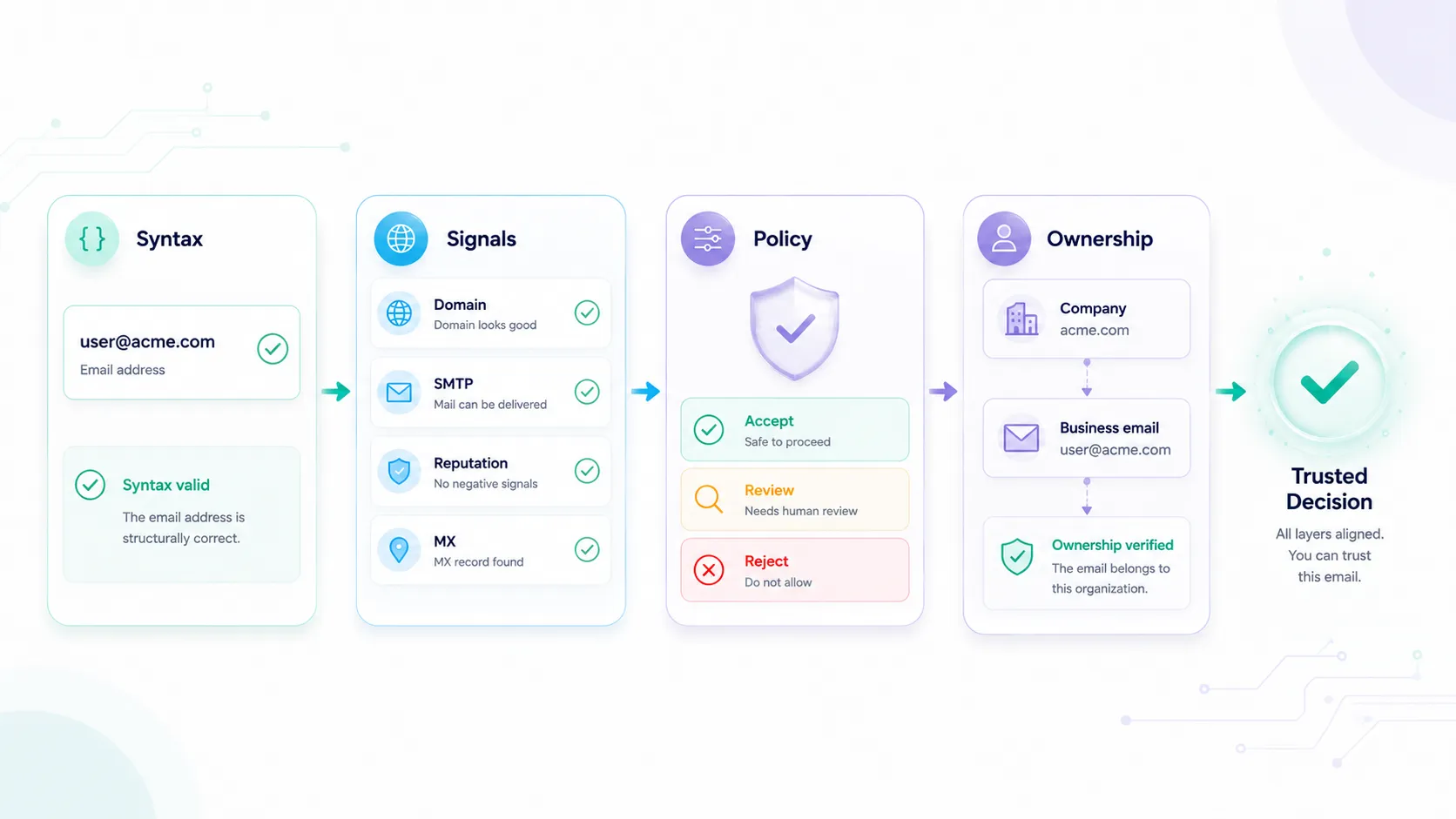
A production email flow becomes much easier to reason about when it keeps four questions separate:
| Layer | Question | Typical owner |
|---|---|---|
| Syntax | Is this input structurally acceptable? | PHP or Laravel |
| Domain and risk evidence | What do mail, disposable, role, catch-all, and related signals show? | Validation provider |
| Product policy | Should this workflow allow, review, or block? | Your application and Soryxa policy |
| Ownership | Did the user prove they can receive and act on a message? | Verification-email flow |
That separation prevents a common error: calling an address “verified” when only its shape or risk profile has been checked.
Keep filter_var as the cheap first gate
PHP documents FILTER_VALIDATE_EMAIL as an address-syntax validator. On success, filter_var returns the filtered value; on failure, it returns false. The PHP manual also warns that email validation is complex and that confirming an address requires sending mail.
Use it before database writes or network calls:
declare(strict_types=1);

function normalizeSyntaxEmail(string $input): ?string
{
    $email = trim($input);

    return filter_var($email, FILTER_VALIDATE_EMAIL) === false ? null : $email;
}

$email = normalizeSyntaxEmail((string) ($_POST['email'] ?? ''));

if ($email === null) {
    http_response_code(422);

    exit('Enter an email address in a valid format.');
}
The helper trims surrounding whitespace and rejects malformed input. It intentionally does not claim that the mailbox exists or make a business-policy decision.
Reserved domains such as example.com and .test are useful for syntax fixtures. They are not evidence that a real mailbox exists. Use controlled provider fakes for integration tests rather than sending live validation requests for documentation addresses.
Use Laravel 13's email rule accurately
Laravel 13 uses egulias/email-validator for its email rule. The framework currently supports:
rfcfor RFC-oriented validation;strictto fail on RFC warnings;dnsto require an MX record;spoofto check for deceptive Unicode characters;filterfor PHPfilter_varcompatibility;filter_unicodefor the Unicode-aware PHP filter style.
Laravel also provides a fluent Rule::email() builder. The dns and spoof validators require PHP's intl extension.
A signup form request can make the local boundary explicit:
namespace App\Http\Requests;

use Illuminate\Foundation\Http\FormRequest;
use Illuminate\Validation\Rule;

final class StoreSignupRequest extends FormRequest
{
    /**
     * @return array<string, list<mixed>>
     */
    public function rules(): array
    {
        return [
            'email' => [
                'bail',
                'required',
                'string',
                Rule::email()
                    ->rfcCompliant(strict: true)
                    ->preventSpoofing(),
            ],
        ];
    }
}
Add ->validateMxRecord() only when its DNS lookup fits the workflow and runtime. It can add a useful domain check, but it is still not a mailbox-ownership test. A transient DNS problem should not quietly become a permanent statement about the user.
A practical production flow is:
- run RFC and spoof checks locally;
- call a backend validation service for domain and risk evidence;
- route uncertain or unavailable results to a deliberate fallback;
- send a verification link when access to the mailbox matters.
Add a decision boundary after syntax passes
Soryxa's current backend endpoint accepts an email address and optional policy_key. Its response exposes data.decision as allow, block, or review, plus a machine-readable reason_code, checks, score, and usage fields.
Call it from the backend. Never expose the bearer token in browser code.
Add configuration such as:
// config/services.php

'soryxa' => [
    'url' => env('SORYXA_URL', 'https://soryxa.elvesora.com'),
    'token' => env('SORYXA_API_TOKEN'),
],
Then put the HTTP boundary in a dedicated service. Keeping HTTP calls, fallback handling, and response parsing out of controllers makes the validation flow easier to maintain. The example below shows one possible implementation.
namespace App\Services;

use Illuminate\Http\Client\ConnectionException;
use Illuminate\Support\Facades\Http;
use Illuminate\Support\Facades\Log;

enum EmailDecision: string
{
    case Allow = 'allow';
    case Review = 'review';
    case Block = 'block';
}

final readonly class EmailGateResult
{
    public function __construct(
        public EmailDecision $decision,
        public string $reasonCode,
        public bool $providerAvailable,
    ) {}
}

final class SoryxaEmailGate
{
    public function evaluate(string $email, string $policyKey = 'signup'): EmailGateResult
    {
        $baseUrl = rtrim((string) config('services.soryxa.url'), '/');
        $token = (string) config('services.soryxa.token');

        if ($baseUrl === '' || $token === '') {
            return $this->unavailable('LOCAL_VALIDATION_CONFIG_ERROR');
        }

        try {
            $response = Http::baseUrl($baseUrl)
                ->acceptJson()
                ->asJson()
                ->withToken($token)
                ->connectTimeout(2)
                ->timeout(5)
                ->post('/api/v1/validate', [
                    'email' => $email,
                    'policy_key' => $policyKey,
                ]);
        } catch (ConnectionException $exception) {
            Log::warning('Soryxa validation connection failed.', [
                'exception' => $exception::class,
            ]);

            return $this->unavailable('LOCAL_PROVIDER_UNAVAILABLE');
        }

        if (! $response->successful()) {
            Log::warning('Soryxa validation returned an HTTP error.', [
                'status' => $response->status(),
                'error_code' => $response->json('error_code'),
            ]);

            return $this->unavailable('LOCAL_PROVIDER_ERROR');
        }

        $decision = EmailDecision::tryFrom((string) $response->json('data.decision'));
        $reasonCode = $response->json('data.reason_code');

        if ($decision === null || ! is_string($reasonCode) || $reasonCode === '') {
            Log::warning('Soryxa validation returned an unexpected response shape.', [
                'status' => $response->status(),
            ]);

            return $this->unavailable('LOCAL_PROVIDER_RESPONSE_INVALID');
        }

        return new EmailGateResult(
            decision: $decision,
            reasonCode: $reasonCode,
            providerAvailable: true,
        );
    }
}
The locally generated LOCAL_* reasons are application fallback codes, not claims that Soryxa returned those values. That distinction is useful in support logs and analytics: a provider outage is not an email-quality finding.
This example uses a short connect timeout and a bounded request timeout. It does not automatically retry inside the signup request. If your workflow retries, define the permitted statuses, total latency, queue ownership, and duplicate-request behavior before launch. A background recheck is often easier to reason about than extending the user's form submission.
For package installation, typed SDK exceptions, and choosing between the official PHP and Laravel packages, use the existing Soryxa SDK guide for PHP and Laravel. This article is focused on the validation layers and application boundary.
Treat unavailable validation as unavailable
Provider failures should remain provider failures, not email-quality decisions. A timeout, authentication error, or malformed response is unavailable evidence, not proof that an email is valid or invalid.
| Workflow | Suggested unavailable-provider behavior |
|---|---|
| Public signup | Create a limited or untrusted state, send ownership verification, and queue a recheck |
| Paid account owner | Hold the high-impact step or require stronger verification |
| CRM import | Keep the row in review and retry asynchronously |
| Invitation | Save the invitation as pending and retry before sending |
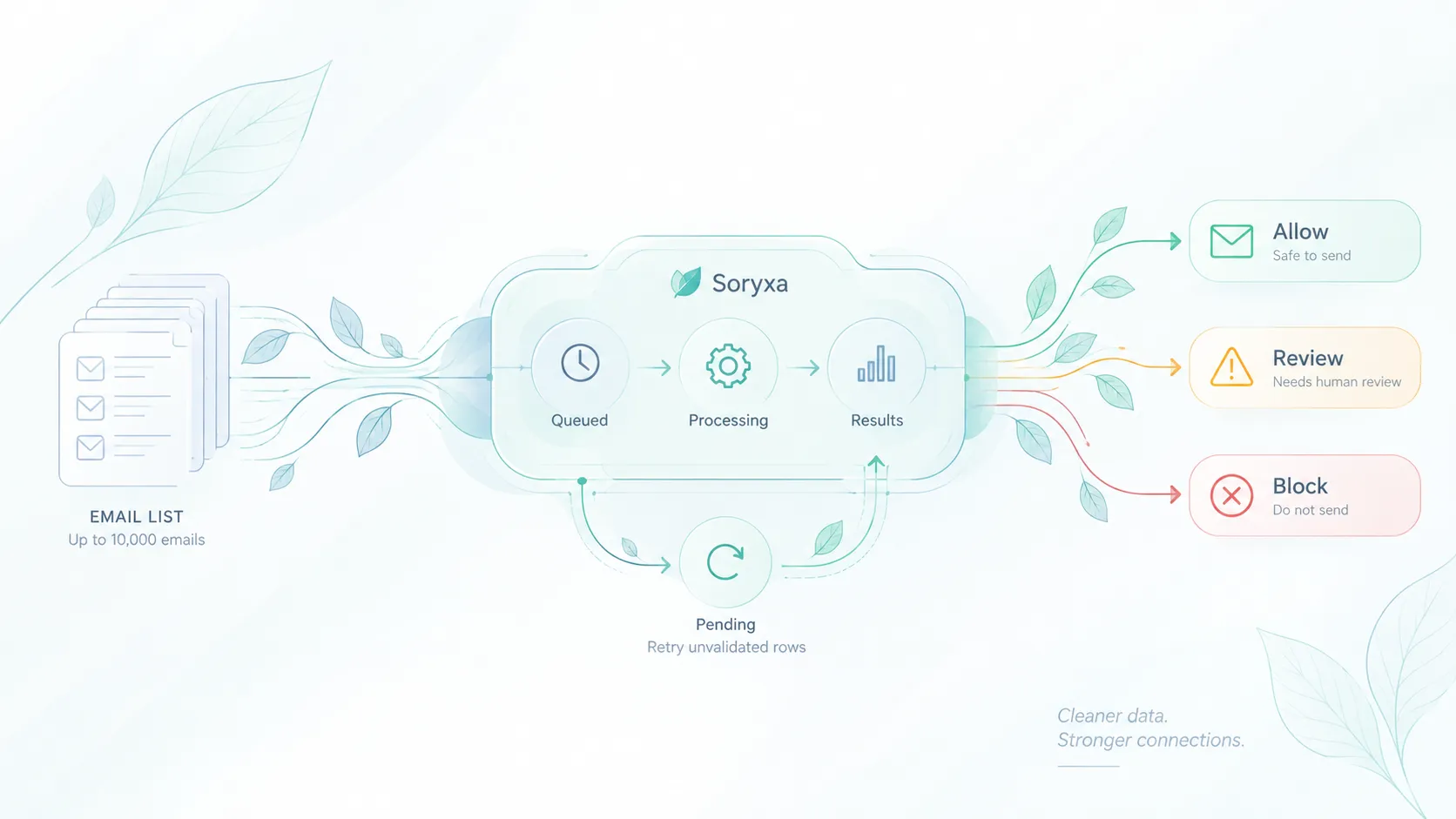
| Bulk cleanup | Pause the job with a visible failure reason |
Map decisions to workflow actions
Read the decision first and the reason code second:
allow: continue the normal workflow, subject to any ownership requirement;review: preserve the record in a deliberate limited, pending, or operator-review state;block: request a different address or stop the specific workflow according to the active policy.
Disposable, role, free-provider, and catch-all signals are not universal block rules. A shared billing inbox may be appropriate for invoices but inappropriate as the sole owner of a sensitive workspace. A catch-all result expresses uncertainty; it is not automatic proof that a mailbox exists or will bounce.
Use different Soryxa policy_key values when signup and CRM intake genuinely need different behavior. Avoid copying thresholds into every controller after the policy already returns a final decision.
Ownership is a separate step
An allow decision is not proof that the current user controls the mailbox. It means the address passed the active validation policy.
When ownership matters, send a verification message and require an action from that mailbox. Laravel's verification flow uses a signed URL and EmailVerificationRequest; a user model that implements MustVerifyEmail can receive the verification notification.
Even that proves access at the time of the action, not permanent deliverability or a person's legal identity. Keep the claim narrow:
- syntax validates structure;
- Soryxa evaluates current evidence and policy;
- a verification-link action demonstrates mailbox access;
- later delivery feedback shows what happened to a particular send.
Use the four layers as the implementation contract
Keep filter_var or Laravel's email rule. They are useful local gates. Do not ask them to answer questions outside their scope.
- Keep each layer responsible for one question.
- Syntax checks structure.
- Validation evaluates evidence.
- Policy decides what your application should do.
- Ownership proves mailbox control.
- Mixing those responsibilities leads to inaccurate decisions and harder-to-maintain systems.
That model is more accurate than a single “verified” Boolean—and safer for both legitimate users and downstream systems.
Store evidence without collecting everything
Soryxa can return detailed checks and raw upstream data. That does not mean every application should persist the full payload indefinitely.
Start with the minimum fields needed to route and explain the workflow:
email_record_id
policy_key
decision
reason_code
provider_available
checked_at
review_outcome
reviewed_at
Keep a plaintext address only where the workflow needs it. For operational logs, prefer a stable internal record ID or a keyed fingerprint. Do not log bearer tokens. Avoid logging full response bodies when they can contain addresses or provider data.
Define retention by purpose:
- keep short-lived debugging data only for the support window;
- keep decision history only as long as the product, audit, or dispute workflow needs it;
- restrict access to raw identifiers and detailed provider evidence;
- delete or anonymize records when their purpose ends;
- document whether review tools show plaintext or a hashed representation.
Data-minimisation and storage-limitation obligations depend on jurisdiction and purpose. Treat this as engineering guidance, not legal advice, and obtain appropriate privacy review for your implementation.
Test each layer independently
Do not use a single “valid email” fixture for the whole stack. Test:
- surrounding whitespace and malformed syntax;
- an RFC-valid syntax fixture on a reserved test domain;
- an
allowresponse; - a policy
blockresponse; - a
reviewresponse; - HTTP 401, 402, 422, 429, and 5xx handling;
- connection timeout;
- missing decision or reason-code fields;
- the ownership-verification route;
- privacy-safe logs;
- a queued recheck that does not grant full trust prematurely.
The examples in this guide were smoke-tested on 2026-07-23 with PHP 8.5.6, Laravel 13.17.0, Laravel HTTP fakes, and no live email-validation request. The exercised paths covered syntax acceptance and rejection, Laravel validation, Soryxa allow/block/review responses, an HTTP failure, and a connection failure.