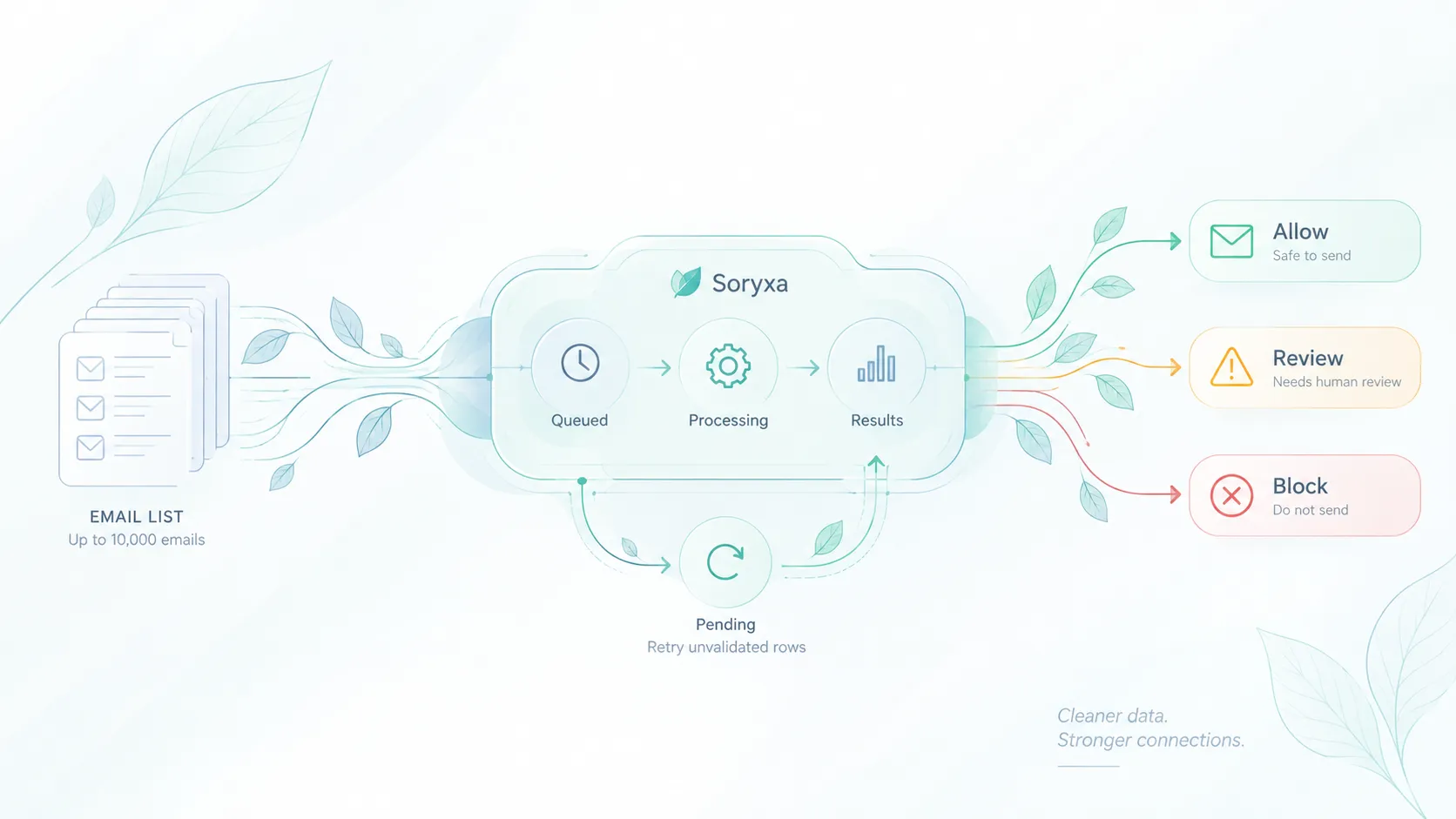
Email Validation API for PHP and Laravel: Soryxa SDK Guide and 2026 Comparison
Compare Soryxa's official PHP and Laravel SDKs with Mailgun, ZeroBounce, Abstract API, and NeverBounce, including package requirements, silent-mode behavior, decision handling, and when another email validation API may fit better.

Introduction
PHP makes basic email checks easy. Laravel makes those checks cleaner. But syntax validation, DNS checks, and confirmation emails do not tell your product what to do with every disposable address, catch-all domain, role mailbox, and newly registered or ambiguous domains.
That is where a package-backed email validation API helps.
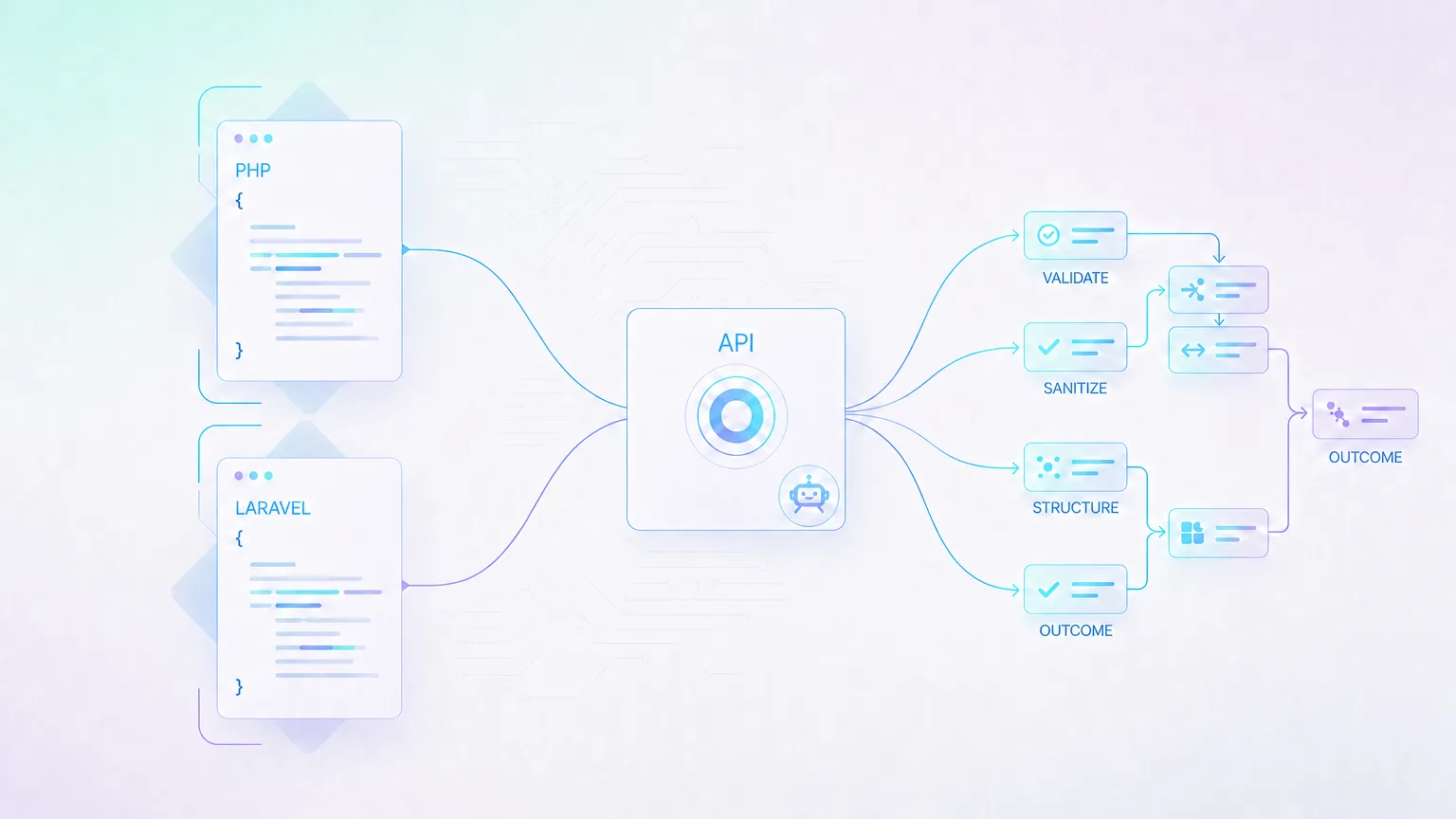
For PHP and Laravel developers, the most practical Soryxa integration is not a hand-written HTTP call. It is one of two Composer packages:
elvesora/soryxa-laravelfor Laravel applications that want a service provider, facade, config file, and Laravel HTTP integration.elvesora/soryxa-phpfor framework-agnostic PHP applications that want a dependency-light SDK built onext-curlandext-json.
Both packages turn Soryxa's validation response into the same developer-facing shape: a result object with an allow, block, or review decision, a 0-100 score, validation checks, usage data, and typed exception handling.
This guide is primarily a Soryxa SDK guide for PHP and Laravel developers. It also compares Soryxa with common validation API options so you can decide when the Soryxa decision model fits and when another provider may be better.
Quick answer: which email validation API should PHP and Laravel developers choose?
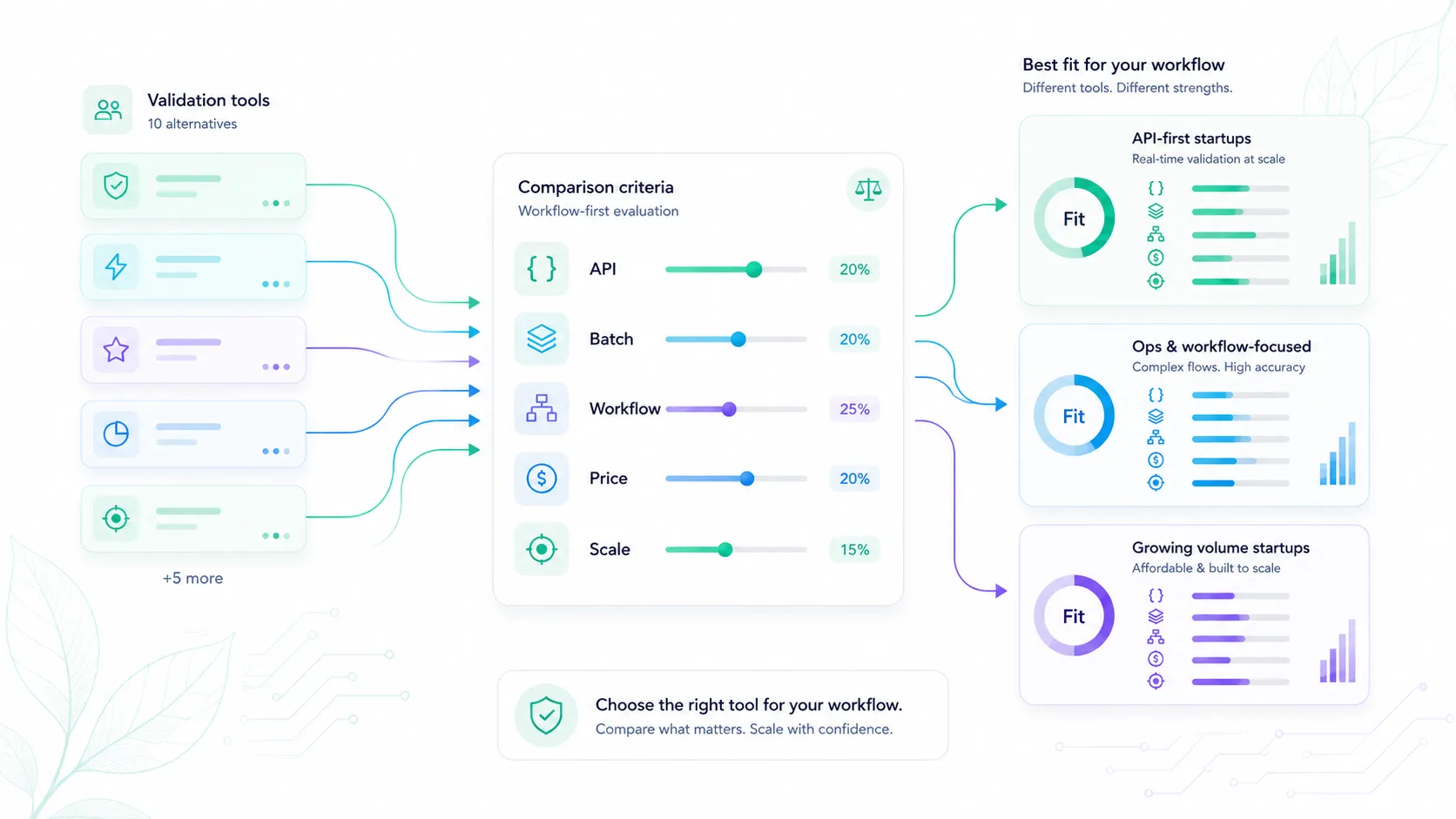
There is no universal best email validation API for every PHP or Laravel app. Choose based on integration surface, validation workflow, and how much decision logic you want the provider or SDK to handle.
If you are comparing email validation APIs for PHP or Laravel in 2026, start with three questions:
- Do you need a Laravel-native package, or is a framework-agnostic HTTP API enough?
- Do you want the provider or SDK to return an application decision, or do you want to write every allow, review, and block rule yourself?
- Is the workflow real-time signup or CRM validation, batch list cleanup, or tied to an existing email sending stack?
| Option | Best PHP/Laravel fit | Integration model | Decision model | Best when |
|---|---|---|---|---|
| Soryxa SDKs | Laravel apps, plain PHP apps, workers, and scripts that want Composer packages. | Official Laravel SDK plus framework-agnostic PHP SDK. | SDK returns allow, block, or review helpers alongside checks and score. |
Your app needs repeatable signup, CRM, or workflow decisions without duplicating provider-field mapping in every controller or job. |
| Mailgun Email Validation | PHP or Laravel teams already using Mailgun for email sending and deliverability. | HTTP API and Mailgun ecosystem integrations. | Returns result, reason, and risk fields that your app maps to local policy. | Validation should live close to an existing Mailgun sending program. |
| ZeroBounce | Teams that need API-first validation plus mature list and batch workflows. | Documented v2 real-time and batch/list API workflows. | Provider statuses become inputs to your own allow, review, or block rules. | Batch cleanup and list verification are as important as point-of-entry validation. |
| Abstract API | Developers who want a simple HTTP/JSON validation endpoint with PHP library support. | Lightweight API request model. | Returns deliverability, quality score, disposable, role, catch-all, MX, and SMTP fields. | You want raw validation fields and prefer to own the decision layer yourself. |
| NeverBounce | Teams building custom single-address and list verification integrations. | API endpoints for individual and list verification workflows. | Verification result codes still need product-specific policy mapping. | You need custom verification workflows with single and list validation options. |
The short version:
- Use Soryxa Laravel SDK when you are building a Laravel app on supported Illuminate component constraints and want
Soryxa::validate()inside signup, CRM intake, or workflow logic. - Use Soryxa PHP SDK when you are building plain PHP, Symfony, Slim, legacy PHP, workers, or scripts and want the same Soryxa decision model without Laravel dependencies.
- Use Mailgun Email Validation when validation is tightly connected to an existing Mailgun sending and deliverability program.
- Use ZeroBounce when your main need is a mature mix of real-time and batch/list validation workflows.
- Use Abstract API when you want a lightweight HTTP/JSON email validation API with PHP library support.
- Use NeverBounce when verification is part of custom single-address and list verification integrations.
For Soryxa, the main reason to choose the SDKs is decision handling. Your application receives allow, block, or review instead of forcing every controller, job, and webhook to interpret raw provider flags.
First: what PHP and Laravel already do well
Before adding an API, use the validation tools already available in your app.
PHP's filter_var supports validation filters, including email validation through FILTER_VALIDATE_EMAIL. It is useful for syntax-level checks, but it should not be treated as deliverability, disposable-domain detection, or risk scoring.
Laravel's email validation rule is stronger and more expressive. Laravel 12 uses the egulias/email-validator package and supports validation styles such as RFC validation, DNS MX checks, spoof checks, and PHP filter_var compatibility.
A Laravel 12 baseline can look like this:
use Illuminate\Validation\Rule;

$request->validate([
    'email' => [
        'required',
        Rule::email()
            ->rfcCompliant(strict: false)
            ->validateMxRecord()
            ->preventSpoofing(),
    ],
]);
Laravel notes that DNS and spoof validators require PHP's intl extension.
That is a strong first layer. It still does not answer product questions like:
- Is this domain disposable?
- Is this a role address like
support@orinfo@? - Is the mailbox likely deliverable?
- Is the domain registered or newly registered?
- Is the address risky enough to block, or should it only be reviewed?
- Should the address be accepted for onboarding but excluded from send-heavy workflows?
Those questions belong to a validation decision layer.
What the Soryxa packages add
The Soryxa packages wrap the API response in a package-level interface that is easier to use in application code than raw JSON.
They should be presented as official Soryxa SDKs, not as widely adopted ecosystem packages. As of April 26, 2026, both packages are listed on Packagist at version 1.0.0, so verify current package metadata before publishing or citing install/adoption signals.
| Package | Use it when | Install command | Requirements | Integration surface |
|---|---|---|---|---|
elvesora/soryxa-laravel |
You are building a Laravel app and want Laravel-native configuration and dependency injection. | composer require elvesora/soryxa-laravel |
PHP 8.1+ and declared Illuminate component constraints for `^10.0 | ^11.0 |
elvesora/soryxa-php |
You are building a non-Laravel PHP app, worker, CLI script, or integration library. | composer require elvesora/soryxa-php |
PHP 8.1+, ext-curl, and ext-json. |
SoryxaClient constructor configuration, cURL transport, no framework dependency. |
Both packages return a ValidationResult object with helpers for decisions, checks, usage tracking, and serialization.
Laravel SDK quick start
Install the Laravel package:
composer require elvesora/soryxa-laravel
The service provider and facade are auto-discovered. Add your token to .env:
SORYXA_API_TOKEN=your-api-token
Optionally publish the config file:
php artisan vendor:publish --tag=soryxa-config
A typical signup flow should still use Laravel's local validation first, then ask Soryxa for a product decision:
use Elvesora\Soryxa\Facades\Soryxa;
use Illuminate\Validation\Rule;

$request->validate([
    'email' => [
        'required',
        Rule::email()
            ->rfcCompliant(strict: false)
            ->validateMxRecord()
            ->preventSpoofing(),
    ],
]);

$result = Soryxa::validate($request->string('email')->toString());

if ($result->isLimitExceeded()) {
    // Usage limit silent mode returned a passthrough allow result.
    // Log it, notify the team, or add a review flag before continuing.
}

if ($result->isBlocked()) {
    return back()
        ->withErrors(['email' => 'Use a different email address to continue.'])
        ->withInput();
}

if ($result->needsReview()) {
    // Accept the signup with limited access, add a review flag, or route it differently.
}

if ($result->isAllowed() && ! $result->isLimitExceeded()) {
    // Continue the normal signup workflow.
}
You can also inject the client instead of using the facade:
use Elvesora\Soryxa\SoryxaClient;

class SignupController
{
    public function store(Request $request, SoryxaClient $soryxa)
    {
        $result = $soryxa->validate($request->string('email')->toString());

        return response()->json($result->toArray());
    }
}
Use the Laravel package when you want the integration to feel like part of the app: config values, dependency injection, facade access, and Laravel HTTP behavior.
Pure PHP SDK quick start
Install the framework-agnostic package:
composer require elvesora/soryxa-php
Create a client and validate an address:
use Elvesora\SoryxaPHP\SoryxaClient;

$soryxa = new SoryxaClient(token: $_ENV['SORYXA_API_TOKEN']);

$result = $soryxa->validate('user@example.com');

if ($result->isLimitExceeded()) {
    // Usage limit silent mode returned a passthrough allow result.
    // Log it, notify the team, or add a review flag before continuing.
}

if ($result->isAllowed() && ! $result->isLimitExceeded()) {
    // Email is valid enough for this workflow.
}

if ($result->isBlocked()) {
    // Reject or request a different address.
}

if ($result->needsReview()) {
    // Accept with a review flag or route to manual review.
}
Constructor options control the base URL, timeout, retries, retry delay, and usage-limit silent mode:
$soryxa = new SoryxaClient(
    token: $_ENV['SORYXA_API_TOKEN'],
    baseUrl: 'https://soryxa.elvesora.com',
    timeout: 30,
    retries: 0,
    retryDelay: 100,
    silentOnLimit: false,
);
Use the pure PHP package when the project is not Laravel, when you are building a CLI or worker, or when you need a small SDK with no framework dependency.
Working with validation results
Both packages expose the same result vocabulary:
$result->decision;          // 'allow', 'block', or 'review'
$result->reasonCode;        // e.g. 'CLASSIFICATION_VALID'
$result->decisionMessage;   // Human-readable decision context
$result->decisionReasons;   // Array of reasons
$result->score;             // 0-100
$result->usage->remaining;  // Credits remaining
The helper methods make application code easier to read:
$result->isAllowed();
$result->isBlocked();
$result->needsReview();
$result->isLimitExceeded();
And the boolean check helpers expose validation signals without forcing controllers to parse raw response arrays:
$result->isSyntaxValid();
$result->hasMxRecords();
$result->isSmtpValid();
$result->isDisposable();
$result->isFreeProvider();
$result->isRoleAccount();
$result->isCatchAll();
$result->isDomainRegistered();
$result->isNewlyRegisteredDomain();
In practice, this is where the integration becomes much easier. Your code can act on stable workflow decisions while still preserving access to the underlying validation signals when you need them.
Silent mode, retries, and failure behavior
Email validation sits in the critical path for many signup flows, so failure behavior matters.
The Soryxa packages support:
- request timeout configuration
- retry configuration for server-side failures
- typed exceptions for authentication, subscription, scope, validation, usage limit, server, and connection errors
- usage tracking in successful responses
- silent mode for usage-limit failures
Silent mode is specific to usage limits. When enabled, a usage-limit response does not throw UsageLimitException; instead, validate() returns a passthrough result with decision allow and reason code LIMIT_EXCEEDED.
That behavior is useful when a signup form should not break because a monthly validation limit was reached. Network failures and other provider errors still need explicit handling.
For example, in a public signup flow, a temporary usage limit should not block new users from registering. In that case, returning a review decision instead of failing the request can keep the workflow stable.
A conservative Laravel pattern is:
use Elvesora\Soryxa\Exceptions\ConnectionException;
use Elvesora\Soryxa\Exceptions\SoryxaException;
use Elvesora\Soryxa\Facades\Soryxa;

try {
    $result = Soryxa::validate($email);
} catch (ConnectionException $e) {
    // Decide whether to allow with a review flag, retry later, or block high-risk workflows.
} catch (SoryxaException $e) {
    // Log the API error and apply your fallback policy.
}
The important part is to define fallback behavior before launch. Public signup, self-serve API keys, CRM intake, and batch cleanup jobs should not all fail the same way.
Comparison criteria for PHP and Laravel developers
Use these criteria when comparing Soryxa with other validation APIs.
1. PHP integration path
A developer-focused provider should support Composer installation, backend validation, and server-side decision handling. Avoid designs that require front-end-only calls for validation that affects account creation or CRM records.
2. Result shape
Look for a response model that separates raw checks from workflow decisions. A list of fields is useful, but application code usually needs a smaller decision vocabulary.
3. Signals returned
Useful signals include syntax validity, MX records, SMTP/mailbox checks, disposable domains, role addresses, catch-all behavior, domain registration status, typo hints, risk score, and reason codes.
4. Failure handling
Check how the SDK handles timeouts, retries, rate limits, usage limits, and malformed responses. Signup flows need predictable fallback behavior.
5. Laravel fit
For Laravel applications, a package should support configuration, dependency injection, facade or service access, and testable boundaries.
What Soryxa does differently
Soryxa's main differentiation is not that it returns more raw flags than every competitor. It is that the SDKs normalize validation signals into application decisions.
- The Laravel SDK fits the framework's config, facade, dependency injection, and HTTP-client conventions.
- The PHP SDK gives non-Laravel projects the same decision vocabulary without a framework dependency.
- The
allow,block, andreviewhelpers create a stable boundary for controllers, jobs, CRM intake, and signup logic. - Silent usage-limit handling is explicit, so teams can decide whether a limit failure should pass through, notify an admin, or change the workflow.
This makes Soryxa strongest when the product wants repeatable policy decisions, not just a raw list of validation fields.
When not to choose Soryxa
Soryxa is not the right default for every email validation workflow. Choose another provider first when validation should stay inside an existing Mailgun sending and deliverability stack, when the main job is heavy batch/list verification rather than point-of-entry validation, or when your application only needs a simple raw JSON response and your team wants to own every allow, review, and block rule locally.
This narrows Soryxa's strongest fit: PHP and Laravel applications that want SDK-backed validation decisions for signup, CRM intake, and workflow logic.
Vendor comparison
Before comparing providers, it helps to understand what actually matters in real projects.
Source note: vendor capabilities and package metadata were reviewed on April 26, 2026.
| Option | Best fit | PHP/Laravel fit | Decision handling | Watchout |
|---|---|---|---|---|
| Soryxa SDKs | PHP and Laravel apps that need email validation decisions in signup, CRM, and workflow logic. | Dedicated Laravel package and pure PHP package. | Native allow, block, or review result helpers. |
Official packages are early in public adoption. |
| Mailgun Email Validation | Teams already using Mailgun for email delivery and deliverability workflows. | Usable through HTTP APIs; best when connected to an existing Mailgun program. | Returns fields such as result, reason, and risk that your app must map to policy. | Signup decisions may need extra product-specific rules beyond send/no-send guidance. |
| ZeroBounce | Teams that need both real-time validation and batch/list validation workflows. | API-first integration with documented v2 real-time and batch workflows. | Provider statuses should become inputs into your app policy. | Test latency and false-positive behavior against your own traffic |
| Abstract API | Developers who want a lightweight HTTP/JSON email validation API. | Provides API docs and a PHP email validation library. | Returns fields such as deliverability, quality score, disposable, role, catch-all, MX, and SMTP validity. | Your app still needs explicit allow, review, and block decisions. |
| NeverBounce | Teams building custom single-address and list verification integrations. | API docs and wrapper ecosystem for custom verification workflows. | Verification results still need mapping into product policy. | Catch-all domains, enterprise mail systems, and temporary mailbox behavior can vary by provider. |
Recommended Laravel architecture
Do not put every vendor-specific field inside a controller. A cleaner Laravel implementation usually has:
- a Form Request for basic input validation
- the Soryxa Laravel SDK for validation decisions
- a small application service when policy needs to be shared across controllers, jobs, or webhooks
- explicit fallback behavior for connection failures and provider errors
- tests for allow, review, block, usage-limit, and connection-error cases
If Soryxa already returns a decision, your controller can stay simple while still treating silent usage-limit passthroughs explicitly:
if ($result->isLimitExceeded()) {
    return EmailValidationDecision::Review;
}

return match (true) {
    $result->isBlocked() => EmailValidationDecision::Block,
    $result->needsReview() => EmailValidationDecision::Review,
    default => EmailValidationDecision::Allow,
};
If your product needs stricter policy, configure it in Soryxa's rules UI instead of duplicating the same thresholds and block conditions across controllers, jobs, and webhook handlers. The Soryxa application includes presets, validation toggles, risk-score thresholds, allow/block lists, revision publishing, rollback, and backtesting, so the SDK can stay focused on consuming the final decision.
This keeps provider integration replaceable while keeping business rules centralized and auditable.
How to choose between the two Soryxa packages
Choose elvesora/soryxa-laravel when:
- the application uses supported Illuminate component constraints for Laravel 10, 11, 12, or 13
- you want config values in
config/soryxa.php - you want
Soryxa::validate()from a facade - you want constructor wiring handled by the service container
- you want validation inside controllers, jobs, listeners, or services
Choose elvesora/soryxa-php when:
- the application is not Laravel
- you are writing plain PHP, Symfony, Slim, a worker, a script, or a library
- you want no framework dependency
- you want constructor-level configuration
- you can rely on
ext-curlandext-json
If your team is already using Laravel, the Laravel SDK should usually be the default. If you maintain shared PHP code outside Laravel, use the pure PHP SDK and keep the validation boundary framework-neutral.
Where Soryxa fits in the Elvesora workflow
Soryxa is built for email and domain validation decisions in signup, CRM, and workflow contexts. It is not only a syntax checker, and it is not an email-finding or contact-data product.
For product context, see the Soryxa product page, Soryxa pricing, and the email validation for signups use case. For workflow background, read How email validation fits into clean data workflows and Why Email Validation Fails Without Clear Decision Rules.
Final recommendation
For PHP and Laravel developers, the strongest email validation setup is layered.
Use PHP or Laravel to reject malformed input early. Use Laravel DNS and spoof checks when they fit your environment. Then use the Soryxa SDKs when your app needs real-time decisions about disposable domains, catch-all behavior, role addresses, mailbox signals, domain quality, and risk.
Use elvesora/soryxa-laravel for Laravel apps. Use elvesora/soryxa-php for framework-agnostic PHP. Keep the competitor APIs in mind when your main need is tied to an existing sending platform, batch list cleanup, or a simpler raw JSON API.
In practice, the biggest advantage of Soryxa is its decision model: define validation behavior once, apply it consistently, and keep bad email data out of signup, CRM, and send-heavy workflows.
FAQ
Is PHP filter_var enough for email validation?
It is enough for basic syntax validation in some low-risk workflows. It is not a full deliverability, disposable-domain, role-address, catch-all, or risk-scoring system.
Is Laravel's email rule better than filter_var?
Laravel's email rule is more flexible. In Laravel 12, developers can apply RFC, strict, DNS, spoof, filter, and unicode-aware validation styles.
Should I use elvesora/soryxa-laravel or elvesora/soryxa-php?
Use elvesora/soryxa-laravel inside Laravel apps. Use elvesora/soryxa-php for plain PHP, non-Laravel frameworks, CLI scripts, workers, or shared libraries.
Does Soryxa replace Laravel validation?
No. Laravel validation should still reject malformed input before the API call. Soryxa adds risk signals and a workflow decision after the basic local checks pass.
What happens if the validation API is unavailable?
Define fallback behavior before launch. The packages expose typed exceptions for connection and API failures, and silent mode can suppress usage-limit exceptions. Your app should decide whether unavailable validation means allow with review, retry later, or block only in high-risk workflows.
Does email validation replace confirmation emails?
No. API validation estimates address quality before accepting it. Confirmation proves the user can access the mailbox. Most public signup flows need both.