How to Normalize Imported Company Records Before Company Data Enrichment
Build a safer import-to-enrichment workflow by preserving raw rows, normalizing company names and domains, resolving uncertain matches, and gating CRM updates.

Many CRM import problems are not caused by missing company data.
They happen because downstream jobs can no longer tell which values came from the source, which values the application changed, and whether the company identity was ever strong enough to trust.
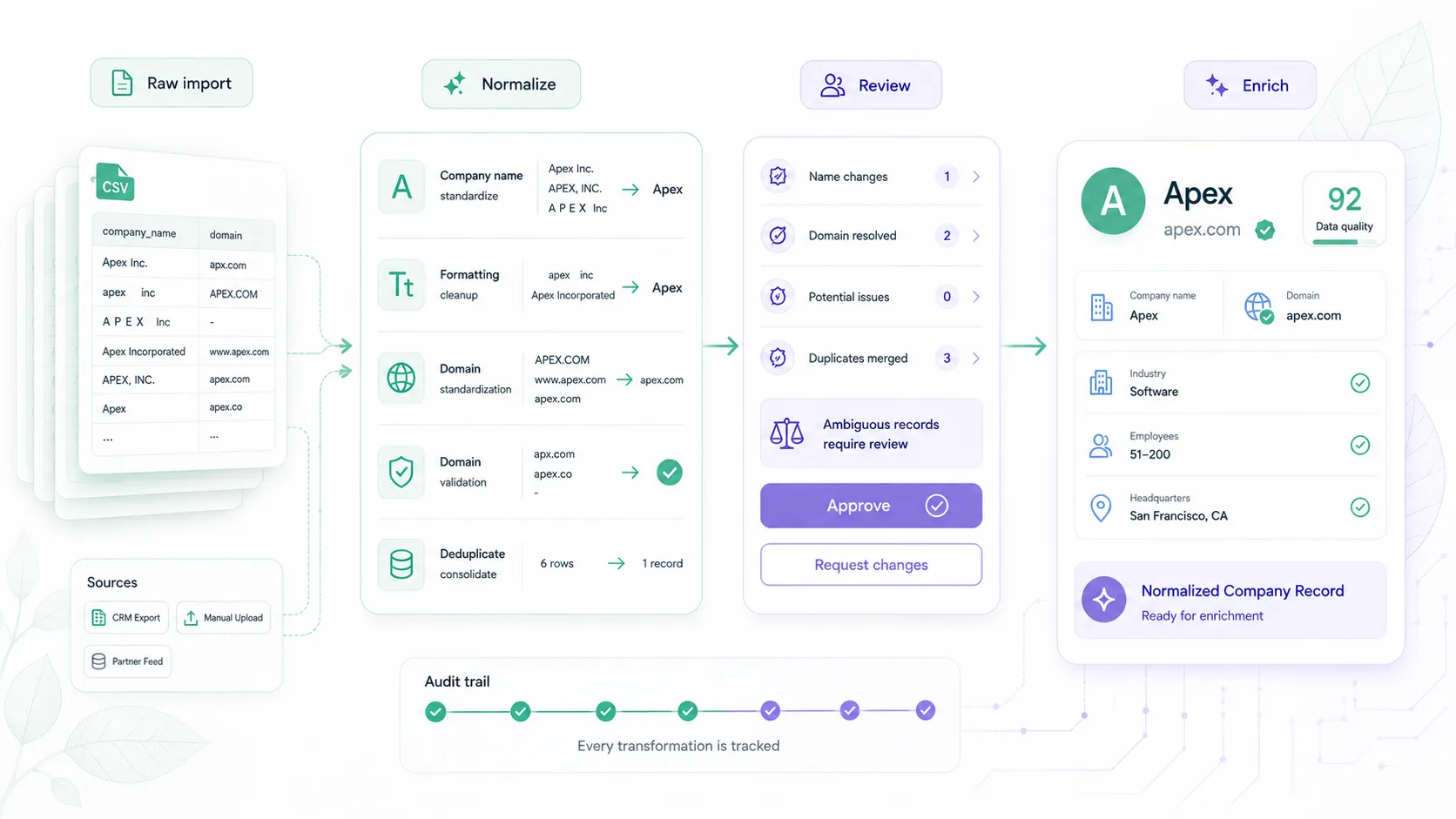
A safer pattern is an import staging contract: keep the raw row, create normalized fields beside it, resolve uncertain domains, and record a decision before enrichment or CRM updates run.
This guide shows that contract from end to end. It focuses on CSV and spreadsheet imports. Forms and webhooks need different controls, while explainability and policy versioning deserve their own workflows.
The import contract in one view
Treat normalization as a sequence of records, not a destructive cleanup step.
| Stage | Owner | Preserve | Add or change | Exit condition |
|---|---|---|---|---|
| Raw import | Your import pipeline | Original values, row ID, file or export identity | Nothing | Row is stored exactly as received |
| Normalized staging | Your application | Every raw field | Normalized name, normalized domain, extracted context, change log | Required fields are structurally usable |
| Domain lookup | Elvesora / your pipeline | Your pipeline preserves the submitted name and context | Elvesora returns found, domain, confidence, is_live, reasons, and lower_reasons |
Result is available for policy evaluation |
| Identity decision | Your application | Lookup evidence and source values | Accept, review, investigate, or hold | A downstream action is explicitly allowed |
| Enrichment-ready record | Your application | Source lineage and identity evidence | Accepted business domain and enrichment status | Company-level enrichment may run |
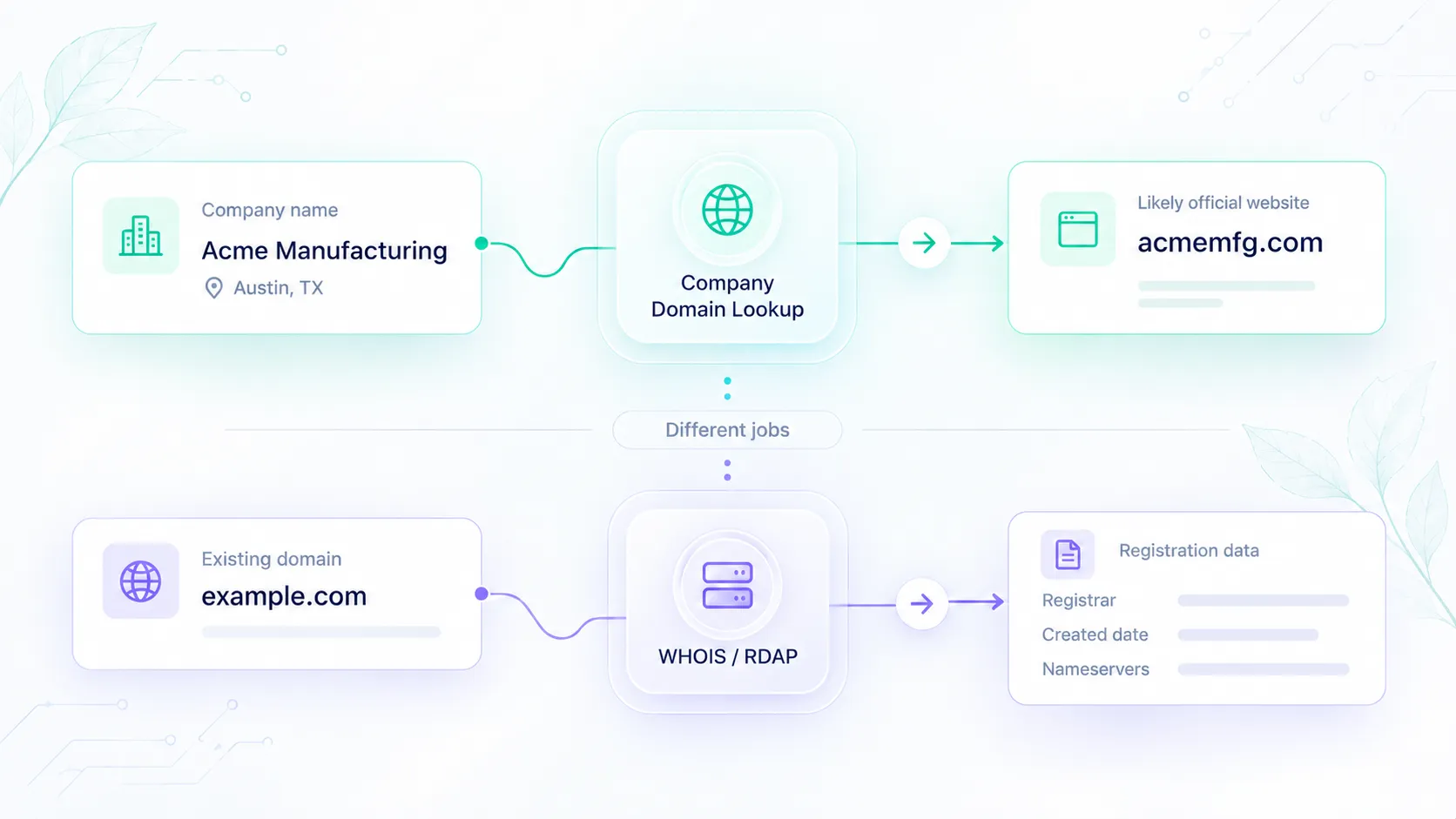
Keeping these responsibilities separate helps preserve clear ownership. Elvesora returns company-identity evidence and company-level enrichment data. Your application owns import parsing, normalization rules, review states, and CRM write policy.
Start with the raw row
Store the source row before changing it. A useful raw-import record includes:
- source system, file, or export name;
- source row ID or external organization ID;
- original company name;
- original website or domain value;
- country, region, or other supplied context;
- import timestamp;
- column mapping or schema version;
- job or operator that started the import.
Reviewers can later see whether the problem originated in the source file, normalization, lookup, or application policy. If the wrong company is selected later, they can see whether the error began in the source, the normalization step, the lookup result, or the application policy.
Do not overwrite the only copy of the imported company name or domain. Rollback and reprocessing become much harder when the source value is gone.
Walk one row from import to enrichment
The following example is fictional. It demonstrates record ownership and field flow; it is not a customer result or a recorded API response.
1. Preserve the imported row
{
  "source_system": "partner_csv",
  "source_row_id": "row_1842",
  "company_name": "  Northstar Ltd - UK  ",
  "website": "",
  "country": "GB",
  "notes": "Billing account"
}
2. Create a normalized staging record
{
  "source_system": "partner_csv",
  "source_row_id": "row_1842",
  "raw_company_name": "  Northstar Ltd - UK  ",
  "normalized_company_name": "Northstar Ltd",
  "raw_domain": "",
  "normalized_domain": null,
  "country": "GB",
  "lookup_context": "United Kingdom",
  "normalization_changes": [
    "trimmed_outer_whitespace",
    "moved_region_suffix_to_context"
  ],
  "identity_state": "missing_domain"
}
The normalization step remains conservative. Ltd may be meaningful, so this example does not remove it. The region moves into lookup context, but the original value remains available.
3. Resolve the missing domain
Send the normalized company name and useful disambiguating context to Company Domain Lookup:
{
  "company_name": "Northstar Ltd",
  "additional_context": "United Kingdom"
}
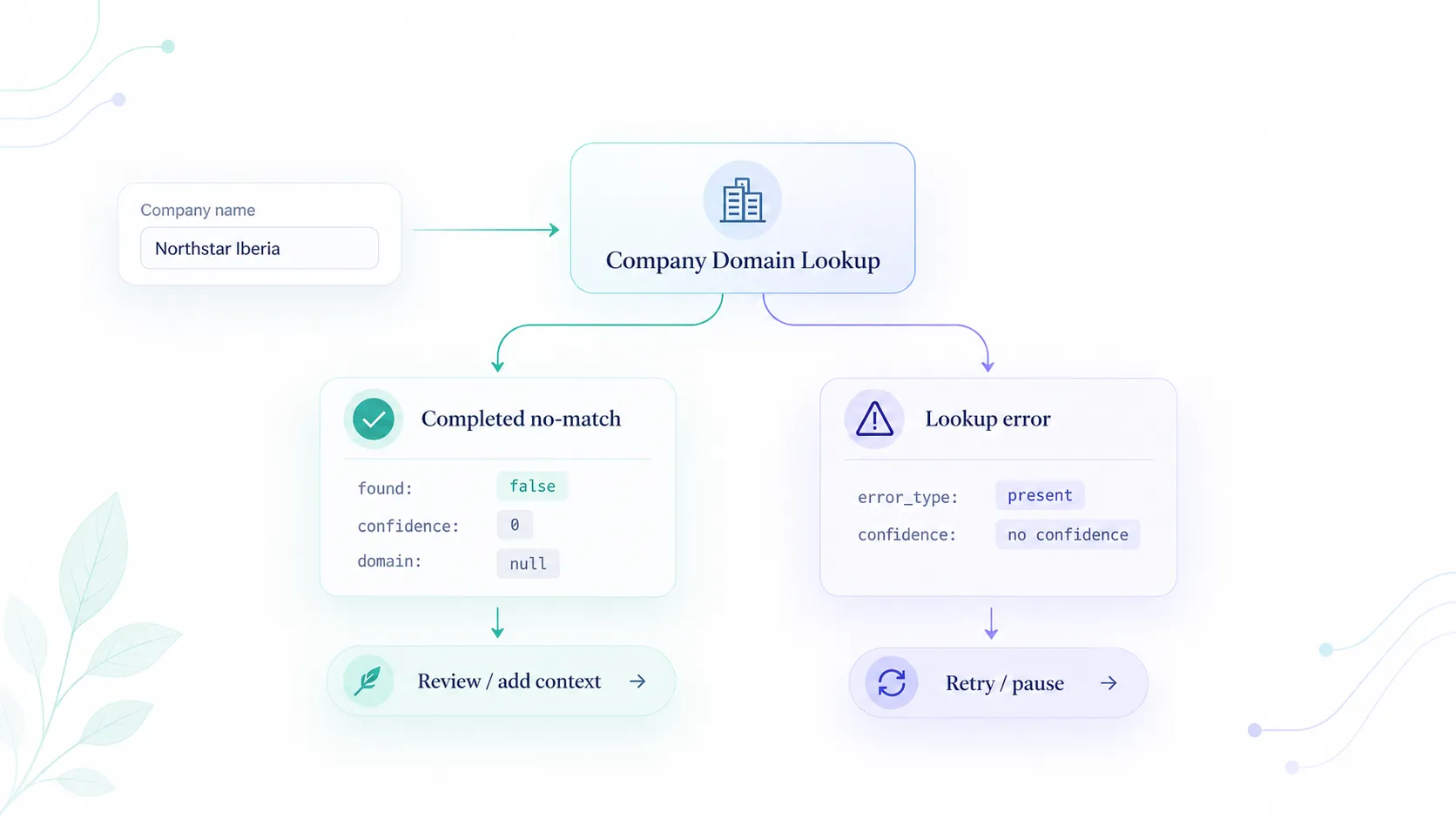
Read found before using domain. Then evaluate the returned confidence, is_live, reasons, and lower_reasons. Do not convert an uncertain result into an accepted business domain merely because the request completed successfully.
4. Build the enrichment-ready record
After your policy or a reviewer accepts the domain, create a separate handoff record. The following is pseudocode; replace each angle-bracket value with the correctly typed value from the accepted lookup result:
{
  "source_row_id": "row_1842",
  "accepted_company_domain": "<domain accepted from the lookup result>",
  "identity_decision": "accepted",
  "lookup_confidence": <integer from 0 to 100>,
  "lookup_is_live": <boolean>,
  "identity_evidence_stored": true,
  "enrichment_status": "ready"
}
Normalize names conservatively
Name normalization should remove formatting noise without erasing identity. The goal of normalization is to make records comparable without changing their meaning.
Useful operations include:
- trim outer whitespace and collapse repeated internal whitespace;
- apply one consistent Unicode normalization form before comparison;
- standardize equivalent dash or quotation characters where your matching policy requires it;
- separate clear region, department, or billing notes from the company-name field;
- preserve legal suffixes unless your tested policy explicitly removes them;
- record every transformation that changes the source value.
Avoid large replacement dictionaries that silently remove words. Group, Partners, Holdings, or a regional label may distinguish one business from another. When the correct transformation is uncertain, retain the value and route the row to review.
Parse tabular imports as structured data
Most normalization problems are impossible to solve correctly if the file was parsed incorrectly in the first place.
Do not parse CSV rows with a simple string split. RFC 4180 documents quoted fields containing commas, line breaks, and escaped quotes. A parser or mapping error can shift values into the wrong fields.
Use a maintained parser for the import format, validate the header mapping before processing, and keep the mapping version with the job. The W3C tabular-data model is a useful primary reference for rows, columns, cells, and metadata in tabular datasets.
Run a preflight before spending lookup or enrichment credits:
- reject rows without a usable company name or accepted domain;
- count empty and duplicate source rows;
- confirm which column supplies company name, domain, country, and external ID;
- detect a schema change before processing the full file;
- preserve rejected rows with a reason instead of silently dropping them.
Normalize domains separately from names
A populated website column should be treated as input, not as a trusted company identifier.
Use a URL/domain parser appropriate to your stack. Store the raw value, then derive a normalized host without a protocol, path, query string, or trailing slash. Do not use naive dot splitting for domains such as example.co.uk.
Hold the row for review when the imported value is:
- a personal or free-email domain;
- a social profile or marketplace page;
- a tracking or redirect URL;
- a subdomain with unclear ownership;
- unreachable;
- inconsistent with the company name and supplied context.
A live domain is evidence, not proof that it belongs to the imported company. The same distinction becomes critical before CRM merges and routing decisions. Compare it with the company name and context before accepting it.
Gate enrichment with an explicit decision
The current Domain Lookup confidence guidance uses these bands:
| Lookup evidence | Recommended starting action | What your application should store |
|---|---|---|
found is false |
Hold or review; keep the domain blank | Submitted name, context, lookup status, and any reason supplied |
Confidence 85–100 and is_live is true |
Eligible for automatic verification in a low-risk workflow | Domain, score, live status, reasons, policy version, and action |
| Confidence 60–84 | Review before writing or enriching | Candidate domain, all reasons, reviewer state, and allowed actions |
| Confidence below 60 | Investigate or leave unmatched | Evidence, missing context, and retry/research state |
| Lookup conflicts with a trusted source domain | Review regardless of score | Both domains, source lineage, conflict reason, and final owner decision |
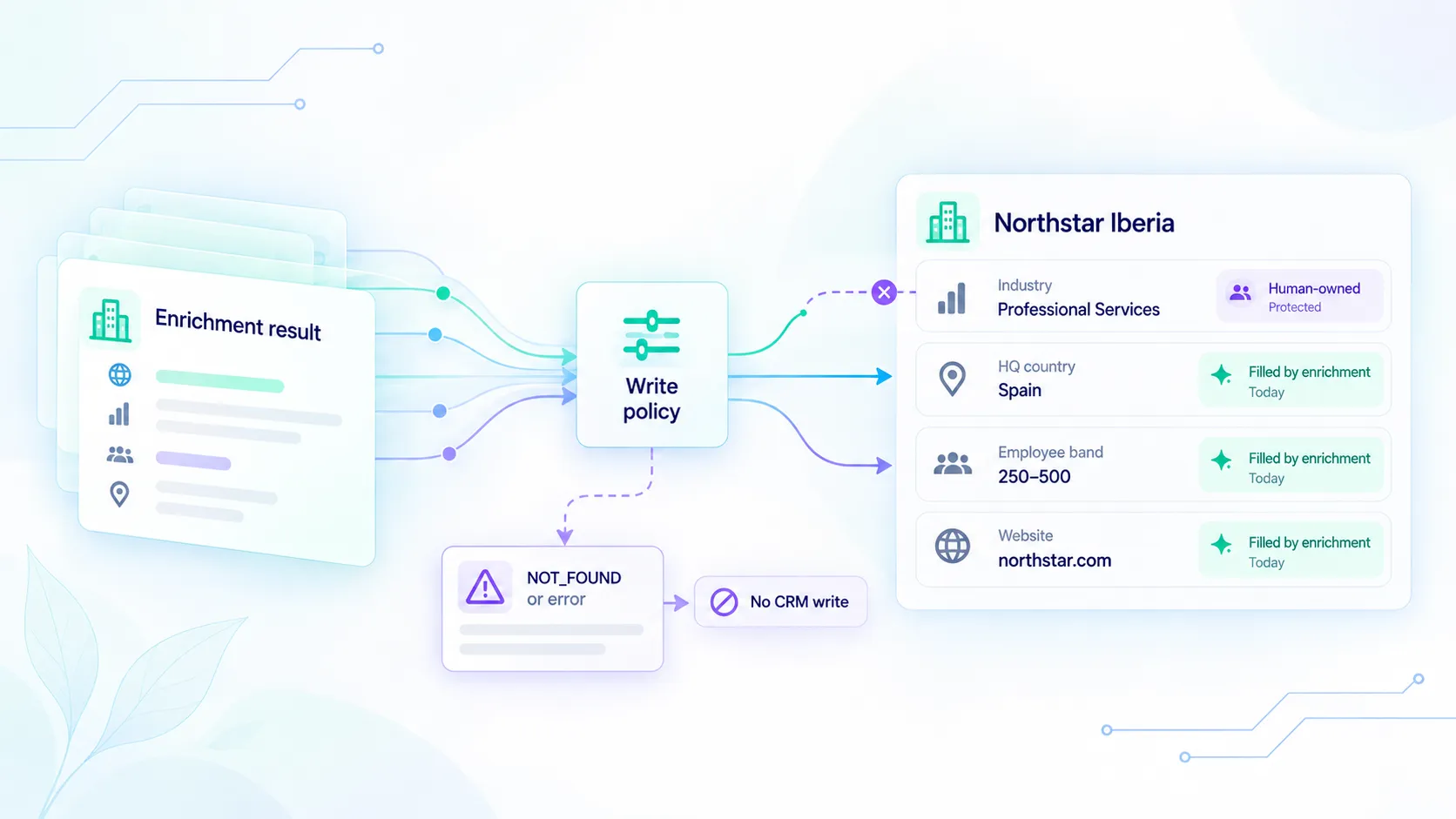
These bands are a starting policy, not permission to overwrite every CRM field. A domain accepted for company-level enrichment may still be too uncertain for account merging, ownership routing, or replacing a trusted customer-supplied domain.
Keep API errors separate from match quality
A failed request and an uncertain match require different actions.
401means authentication must be fixed.422means the request or mapped company name is invalid.429means the usage limit blocked the request; pause the job or review capacity.503is a retryable lookup failure; current documentation specifies a 60-second retry delay.found: falseis a completed lookup with no domain to write. It is not the same as a transport failure.- Low confidence is match evidence that needs review. It is not an API error.
Store request state separately from identity state. This prevents a retry worker from treating a low-confidence result as a failed call or treating a timeout as evidence that no company exists.
Pass only trusted domain to enrichment
Elvesora Enrichment accepts a business domain for REST and MCP company enrichment. Its output is company-level data such as firmographics, headquarters, descriptions, official domains, and public business links. It is not private people-data enrichment or contact discovery.
Your handoff should contain the accepted business domain, source row ID, decision state, and enough evidence to explain why enrichment was allowed. Keep identity evidence separate from the enriched company profile so a later policy change can re-evaluate the match without pretending the enrichment response made the original identity decision.
What Elvesora returns and what your pipeline owns
| Responsibility | Owner |
|---|---|
| Parse the file and preserve source rows | Your pipeline |
| Normalize names, domains, and context | Your pipeline |
| Return a likely official domain with confidence, live status, and match reasons | Elvesora Company Domain Lookup |
| Decide whether to accept, review, investigate, or hold | Your pipeline |
| Write, merge, deduplicate, or route CRM records | Your pipeline |
| Return company-level enrichment for an accepted business domain | Elvesora Enrichment |
| Retain source lineage, decision evidence, and policy version | Your pipeline |
The single-record Domain Lookup API accepts company_name and may return normalized_company_name; it does not create or maintain the import staging contract described here. The supported bulk UI can parse mapped CSV, XLS, and XLSX files, while your application still owns downstream CRM policy. A returned domain does not authorize a CRM merge by itself.
Import-to-enrichment checklist
Before an imported row reaches company enrichment, confirm that:
- the raw row and source identifier are preserved;
- the column mapping or schema version is recorded;
- the normalized name sits beside the original value;
- any extracted context is visible and reversible;
- the raw and normalized domain values are separate;
- missing or questionable domains go through lookup;
-
found, confidence, live status, and reasons are stored; - the application policy produces an explicit decision;
- API errors are not mixed with match-quality states;
- only accepted business domains move to company enrichment;
- CRM writes, merges, and routing use their own risk thresholds;
- reviewers can see the source value and the evidence behind the decision.
Put a contract between import and enrichment
A reliable import pipeline is not the one that enriches every row immediately. It is the one that makes safe rows obvious and uncertain rows reviewable.
Preserve the source, normalize into separate fields, resolve company identity, record the decision, and pass only accepted business domains to enrichment. That contract keeps useful imports moving without turning a noisy spreadsheet into a permanent CRM identity problem.
Start with Company Domain Lookup when an imported company has no trusted domain. Once the domain is accepted, continue with Elvesora Enrichment for company-level data.